

Moving past the perimeter
The old 'castle-and-moat' model is dead. We used to build walls and trust everything inside, but that doesn't work when your team is remote and your apps live in the cloud.
The rise of remote work, cloud services, and increasingly sophisticated cyberattacks have rendered the traditional perimeter largely irrelevant. Attackers don’t need to breach a firewall anymore; they target users and devices directly, or exploit vulnerabilities in cloud infrastructure. The assumption of trust is the problem, and the frequency of successful breaches proves it.
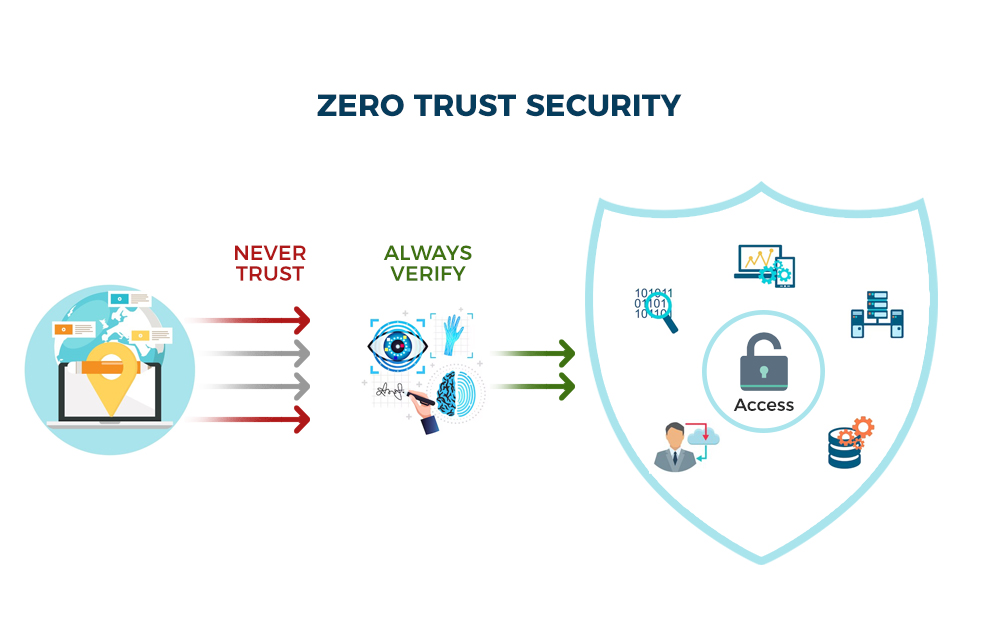
This is where Zero Trust comes in. It’s a fundamental shift in thinking – a move from trusting anything inside the network to never trusting and always verifying. It’s based on the principle of assuming breach, meaning security teams operate as if an attacker is already present within the system. This isn’t about eliminating trust entirely, but about minimizing implicit trust and continuously validating access.
The acceleration of cloud adoption and the blurring lines of the corporate network have made Zero Trust not just a best practice, but a necessity. Organizations need a security model that can adapt to a distributed environment and protect data regardless of where it resides. It’s a complex undertaking, but the alternative – continuing to rely on outdated security approaches – is far more risky.
The five pillars of zero trust
NIST Special Publication 800-207 (2020) defines how these pieces fit together. They aren't separate tools; they're a single system for keeping attackers out.
Identity is the foundation. Zero Trust requires verifying the identity of every user and device attempting to access resources. This goes beyond simple usernames and passwords; it involves strong authentication methods like Multi-Factor Authentication (MFA) and continuous identity validation. Every access request is treated as if it originates from an unknown source.
Devices are another critical pillar. Every device – whether company-owned or personal – must be verified before being granted access. This includes checking for compliance with security policies, up-to-date software, and the absence of malware. Device posture assessment is key.
Networks are no longer implicitly trusted. Zero Trust treats the network as hostile and requires microsegmentation to limit the blast radius of a potential breach. Traffic is inspected and verified at every point, regardless of its origin or destination.
Applications are also potential attack vectors. Zero Trust requires verifying the integrity of applications and controlling access based on user roles and privileges. Least privilege access is paramount – users should only have access to the applications and data they absolutely need.
Finally, Data itself is a pillar. Zero Trust focuses on protecting data directly, rather than relying solely on network perimeters. This involves data encryption, access controls, and data loss prevention (DLP) measures. These five pillars are not independent silos, but rather interconnected components that reinforce each other.
- Remove entire list.
- Devices
- Networks
- Applications
- Data
Stopping lateral movement with microsegmentation
Microsegmentation is a core component of Zero Trust, and it’s about dividing the network into smaller, isolated segments. Think of it as creating many smaller "castles" within the larger network, rather than relying on a single perimeter. This significantly limits the impact of a breach. If an attacker gains access to one segment, they are prevented from moving laterally to other parts of the network.
Traditional network segmentation often relies on broad network zones based on function or department. Microsegmentation, however, is much more granular. It can isolate individual workloads, applications, or even specific data sets. This level of granularity requires more sophisticated tools and policies, but the security benefits are substantial.
The difference is significant. Traditional segmentation might isolate the marketing department’s network from the finance department’s. Microsegmentation could isolate each marketing application, limiting the damage if one is compromised. It's about reducing the attack surface and containing breaches before they escalate.
Implementing microsegmentation isn't without its challenges. It requires a deep understanding of network traffic flows and application dependencies. Creating and maintaining granular policies can be complex and time-consuming. However, the ability to contain a breach and prevent widespread damage makes it a worthwhile investment. Careful planning and automation are essential for successful implementation.
Identity management in practice
In a Zero Trust architecture, Identity and Access Management (IAM) is far more than just managing usernames and passwords. It’s the central control point for verifying user identities and enforcing access policies. IAM in Zero Trust is about continuous verification and least privilege access.
Multi-Factor Authentication (MFA) is non-negotiable. Requiring users to provide multiple forms of identification – something they know (password), something they have (security token), and something they are (biometrics) – significantly reduces the risk of unauthorized access. MFA should be implemented for all users and applications, not just those considered high-risk.
Least Privilege Access is another fundamental principle. Users should only be granted the minimum level of access necessary to perform their job duties. This limits the potential damage an attacker can cause if they compromise a user account. Role-Based Access Control (RBAC) is a common method for implementing least privilege.
Emerging IAM technologies like Passwordless Authentication are gaining traction. These methods use alternative authentication factors, such as biometrics or device-based authentication, to eliminate the need for passwords altogether. This improves security and user experience.
Privileged Access Management (PAM) is also crucial. PAM focuses on controlling and monitoring access to privileged accounts – those with elevated permissions. PAM solutions can enforce just-in-time access, meaning users only have privileged access when they need it, and automatically revoke it when they’re finished.
Multi-Factor Authentication (MFA) Method Comparison for Zero Trust Environments
| Method | Security Strength | User Experience | Implementation Complexity | Cost |
|---|---|---|---|---|
| SMS-Based MFA | Lowest | Generally good, widely accessible | Low | Low - carrier costs apply |
| Authenticator App (TOTP) | Better | Good, requires app installation | Low to Medium | Low - mostly development/integration costs |
| Biometric Authentication (Fingerprint, Facial Recognition) | Higher | Variable, dependent on device and user | Medium to High | Medium - hardware/software licensing and integration |
| Security Keys (FIDO2/WebAuthn) | Highest | Good for frequent users, learning curve for new users | Medium | Medium - key purchase and management |
| Push Notifications (via Authenticator App) | Better | Very good, convenient for users | Medium | Low - mostly development/integration costs |
| Passwordless Authentication (FIDO2/WebAuthn) | Highest | Excellent, streamlined login | High | Medium - infrastructure changes and key management |
Qualitative comparison based on the article research brief. Confirm current product details in the official docs before making implementation choices.
Continuous Monitoring and Analytics
Zero Trust isn’t a "set it and forget it" security model. It requires continuous monitoring and real-time analytics to detect and respond to threats. This means constantly collecting and analyzing data from various sources – network traffic, system logs, user activity – to identify anomalous behavior.
Security Information and Event Management (SIEM) systems are essential for aggregating and analyzing security data. SIEMs can correlate events from different sources to identify potential threats and generate alerts. However, traditional SIEMs can be overwhelmed by false positives.
User and Entity Behavior Analytics (UEBA) addresses this challenge by using machine learning to establish baseline behavior for users and entities (devices, applications). UEBA can then detect deviations from these baselines, which may indicate malicious activity. It’s about identifying what's unusual, not just what's known to be bad.
Effective monitoring requires correlating data from multiple sources. Combining SIEM, UEBA, and threat intelligence feeds provides a more comprehensive view of the security landscape. Automation is also key – automating incident response and threat containment reduces the time it takes to mitigate attacks.
Zero Trust and the Cloud
Implementing Zero Trust in cloud environments (IaaS, PaaS, SaaS) presents unique challenges. The shared responsibility model means that security is a joint effort between the cloud provider and the customer. Organizations must understand their responsibilities and implement appropriate security controls.
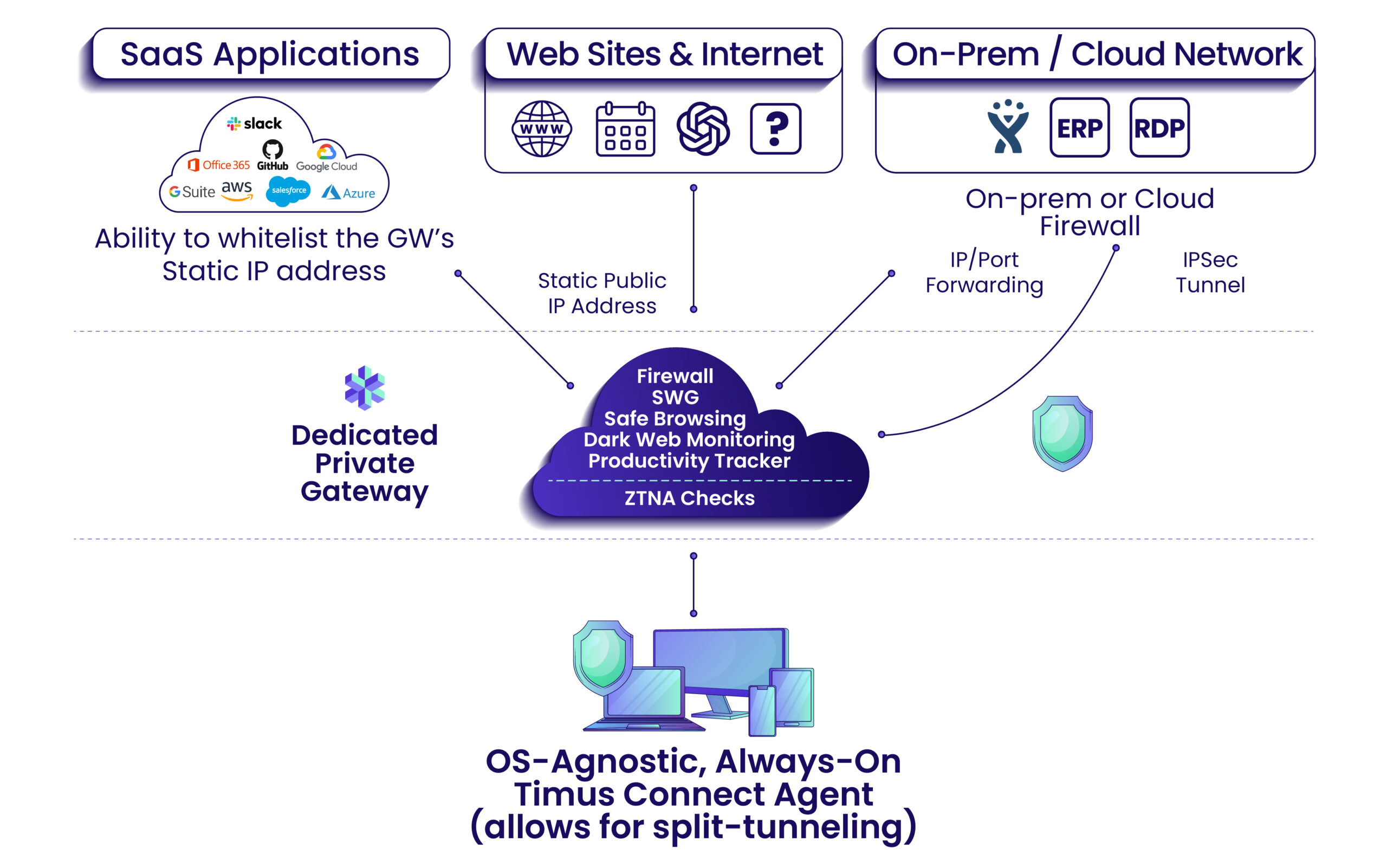
Cloud Access Security Brokers (CASBs) play a crucial role in extending Zero Trust principles to cloud applications. CASBs provide visibility into cloud usage, enforce security policies, and protect sensitive data. They can also detect and prevent unauthorized access.
Zero Trust principles apply equally to containerization and serverless architectures. Container images should be scanned for vulnerabilities, and access to containers should be strictly controlled. Serverless functions should be secured using least privilege access and runtime protection.
Don't forget the shared responsibility model. Amazon or Microsoft secures the physical servers, but you're still responsible for the data you put on them. You still need to encrypt your files and manage who can see them.
Zero Trust Implementation Roadmap
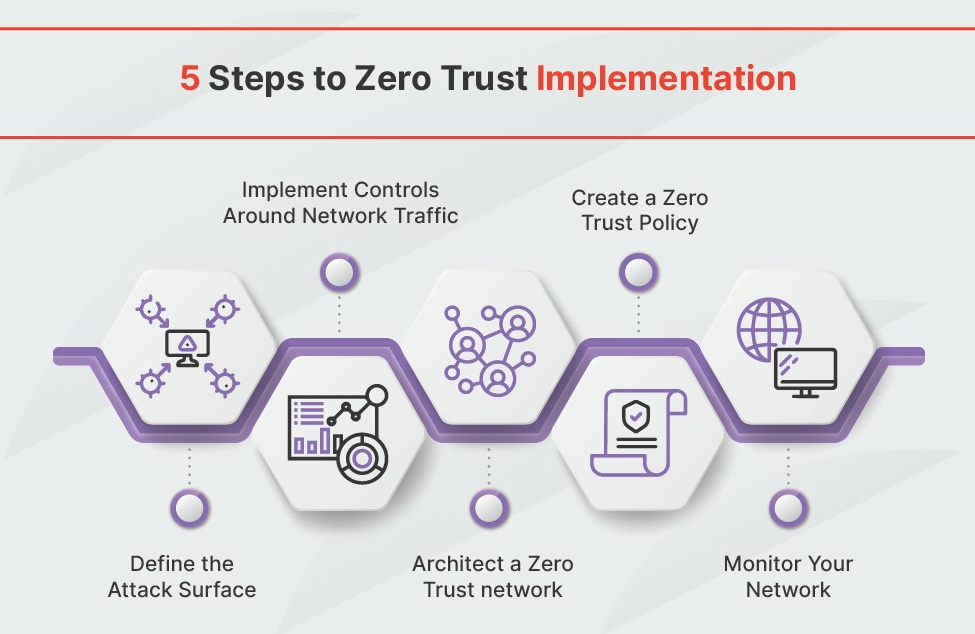
Implementing Zero Trust is a journey, not a destination. It’s a phased approach that requires careful planning and execution. There’s no one-size-fits-all solution; the implementation roadmap will vary depending on the organization’s specific needs and risk profile.
Define the Protect Surface: Start by identifying your most critical assets – the data, applications, and systems that are most valuable to your organization. This is your "protect surface" and should be the focus of your Zero Trust efforts. Don't try to boil the ocean; focus on what matters most.
Prioritize Critical Assets: Once you’ve defined your protect surface, prioritize the assets within it. Which ones are most vulnerable? Which ones would cause the most damage if compromised? This will help you focus your resources effectively.
Implement MFA: Roll out Multi-Factor Authentication (MFA) for all users and applications. This is a quick win that significantly improves security. Don't overlook service accounts and privileged users.
Microsegment the Network: Begin microsegmenting your network, starting with the most critical assets. This will limit the blast radius of a potential breach. It’s a complex undertaking, so start small and iterate.
Continuously Monitor and Improve: Implement continuous monitoring and analytics to detect and respond to threats. Regularly review and update your security policies and controls. Zero Trust is an ongoing process, not a one-time project.

No comments yet. Be the first to share your thoughts!