

First impressions
Ubuntu and Fedora represent two very different philosophies in the world of Linux. Ubuntu, historically, has prioritized ease of use and accessibility, aiming to be a welcoming onramp for newcomers. Fedora, on the other hand, tends to lean towards innovation and providing the latest software packages – often at the cost of some stability. It’s a distribution geared towards developers and those who like to be on the cutting edge.
After spending about a week with pre-release builds of both Ubuntu 26.04 and Fedora 40, my initial impressions are… nuanced. Ubuntu feels refined. It's predictable, and the default experience is polished. Fedora, while also polished, feels more eager to show off what’s new. The differences aren’t massive, but they’re definitely perceptible. It’s like the difference between a well-established restaurant and a trendy new bistro.
The installation process for both distributions is fairly straightforward, though Ubuntu’s Ubiquity installer remains slightly more intuitive, especially for those unfamiliar with partitioning and bootloaders. Fedora’s Anaconda installer is powerful, but can be a bit overwhelming with its many options. Both offer full disk encryption, which is a welcome security feature. Ubuntu’s installer also helpfully offers to download updates during the installation process.
Out of the box, Ubuntu feels more… complete. It includes a wider range of pre-installed applications, catering to a broader audience. Fedora, while not sparse, is more minimalist, giving you a cleaner slate to work with. This isn’t necessarily a bad thing – many users prefer to customize their systems from the ground up – but it does mean you'll likely spend a bit more time configuring Fedora to your liking. The YouTube channel TheBlackDon noted in a December 2025 video that Ubuntu continues to be a top choice for beginners.
Desktop and customization
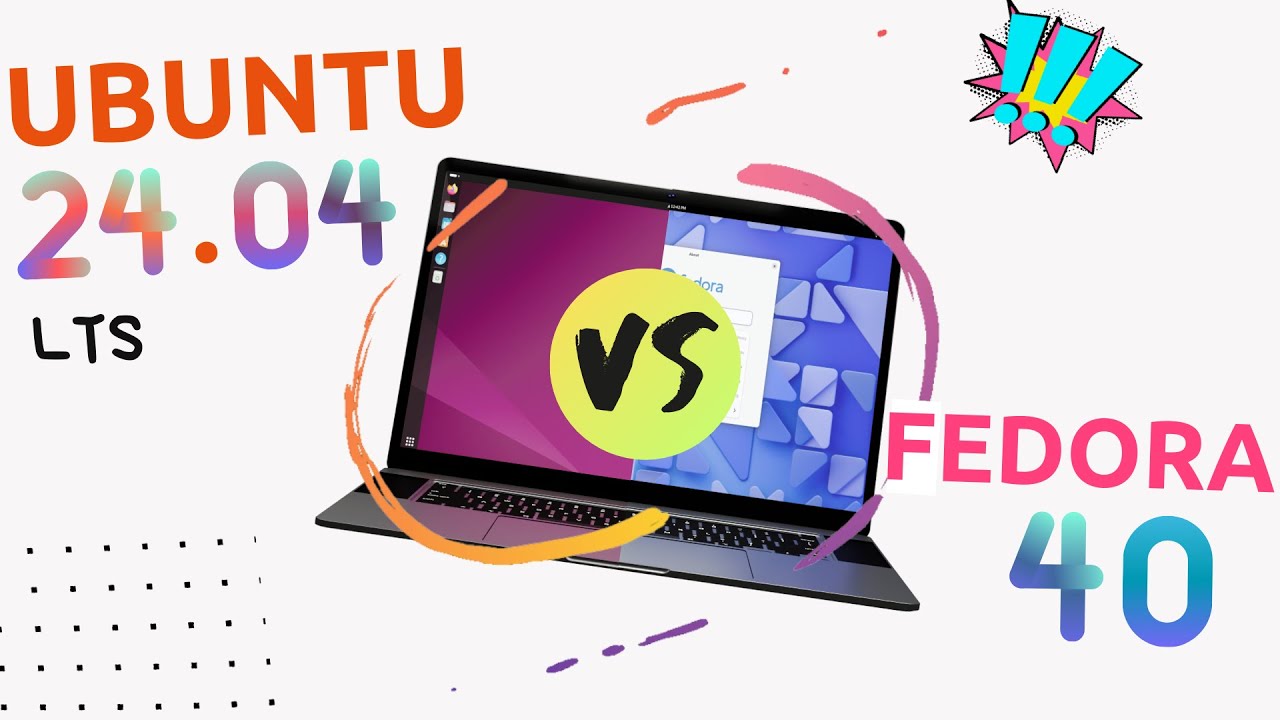
Both Ubuntu 26.04 and Fedora 40 ship with GNOME as their default desktop environment. However, don't assume that means they look and feel identical. Fedora generally receives GNOME updates faster than Ubuntu, meaning Fedora 40 will likely showcase the newest features and improvements available in GNOME 46 or 47 at the time of release. Ubuntu tends to prioritize stability, so they often backport changes rather than immediately adopting the latest version.
The default configurations differ noticeably. Ubuntu’s GNOME experience is heavily customized with extensions to provide a more traditional desktop layout – a dock, a top bar with system indicators, and a more conventional application menu. Fedora, while still using GNOME, maintains a closer-to-stock experience. This means a greater emphasis on the Activities Overview and a more minimalist approach. This difference extends to the default theme and icon set.
Customization is possible on both platforms, but Fedora offers greater flexibility. Because it’s closer to the upstream GNOME project, it’s easier to find and install GNOME extensions that might not be fully compatible with Ubuntu’s modified version. Ubuntu's customization is more constrained by the changes Canonical has made. Changing themes and icons is straightforward on both, but tweaking the core GNOME experience is easier on Fedora.
Alternative desktop environments are available for both distributions. On Ubuntu, you can easily install KDE Plasma, XFCE, MATE, and LXQt. Fedora supports these as well, with KDE Plasma being particularly popular. Switching desktop environments on both distributions is relatively painless, thanks to the graphical login manager. A Level1Techs forum discussion from November 2013 highlighted that many beginners appreciate the ability to try different desktop environments.
Ubuntu 26.04 LTS vs Fedora 40: Desktop Experience Comparison
| Feature | Ubuntu 26.04 LTS | Fedora 40 |
|---|---|---|
| Desktop Environment | GNOME | GNOME |
| Default Configuration | Generally more conservative and user-friendly out of the box | More focused on showcasing the latest GNOME features, potentially requiring more initial setup |
| Customization Options | Extensive, with a large community providing themes, extensions, and icons | Highly customizable, but some customizations may require more technical knowledge |
| Package Management | APT with .deb packages; large software repositories | DNF with .rpm packages; strong focus on newer package versions |
| Resource Usage | Moderate; generally well-optimized for a balance of features and performance | Potentially higher, especially with the latest desktop features enabled |
| Responsiveness | Typically smooth and stable, prioritizing reliability | Generally snappy, but can be more susceptible to issues with cutting-edge software |
| Software Availability | Wide range of software readily available; PPAs offer access to additional packages | Excellent software availability, with a focus on free and open-source software |
Qualitative comparison based on the article research brief. Confirm current product details in the official docs before making implementation choices.
APT vs. DNF
The package managers are the heart of any Linux distribution. Ubuntu uses APT (Advanced Package Tool), which has been a mainstay of Debian-based systems for decades. Fedora utilizes DNF (Dandified Yum), a successor to the older YUM package manager. Both systems allow you to install, update, and remove software, but they operate in fundamentally different ways.
APT is reliable but slow. If you're running a massive update, you'll be waiting a while. DNF handles dependencies better and uses parallel downloads to speed things up. In my experience, DNF feels snappier on the command line, even if the repository size is slightly smaller than the Debian-based mirrors Ubuntu uses.
Finding and installing software is relatively easy on both distributions. Ubuntu offers the GNOME Software Center and the command-line `apt` tool. Fedora uses the GNOME Software Center and the `dnf` command. Both graphical tools provide a user-friendly interface for browsing and installing applications. The command-line tools offer more power and flexibility for advanced users.
The quality of available packages is comparable between the two distributions. Both have access to a vast library of software. However, Fedora tends to have newer versions of packages available sooner, reflecting its focus on innovation. Ubuntu prioritizes stability, so packages are often slightly older but more thoroughly tested. Both systems also support Flatpak and Snap packages, offering a way to install applications from sources outside the official repositories.
- APT: Reliable and uses the massive Debian package base.
- DNF: Faster downloads and smarter dependency logic.
- Both: Support for Flatpak and Snap
Software Availability & Updates
Beyond the package managers, the sheer availability of software can influence your choice. Ubuntu benefits from the massive Debian ecosystem, meaning a huge number of applications are readily available. Fedora also has a comprehensive software repository, but it may require a bit more effort to find certain niche applications.
Proprietary software can sometimes be easier to install on Ubuntu, thanks to the availability of pre-built packages and more extensive documentation. This is particularly true for applications like NVIDIA drivers and certain media codecs. Fedora generally prefers free and open-source software, so installing proprietary applications may require enabling third-party repositories.
Update cycles are a key differentiator. Ubuntu’s Long Term Support (LTS) releases, like 26.04, are supported for five years, providing long-term stability and security updates. This makes Ubuntu a good choice for servers and environments where downtime is unacceptable. Fedora, however, follows a more rapid release cycle, with new versions appearing every six months.
This faster release cycle means Fedora users get the latest software features sooner, but it also means they need to upgrade more frequently. This can be a benefit for developers and enthusiasts who want to stay on the cutting edge, but it can be a drawback for users who prefer a more stable and predictable system. The Ultimate Linux Newbie Guide published in May 2026 notes the importance of considering this tradeoff.
Which update strategy do you prefer for your desktop Linux distribution?
Vote below!
Performance & System Resources
Performance differences between Ubuntu 26.04 and Fedora 40 are likely to be subtle on modern hardware. Both distributions are relatively lightweight and can run comfortably on a wide range of systems. However, Fedora’s closer-to-stock GNOME experience may result in slightly better responsiveness, especially on lower-end hardware.
Resource usage (CPU, RAM, disk space) is comparable between the two distributions. Ubuntu’s pre-installed applications consume slightly more resources out of the box, while Fedora’s minimalist approach results in a smaller initial footprint. A clean install of Fedora 40 typically requires around 20GB of disk space, while Ubuntu 26.04 may require closer to 25GB.
Under typical workloads – web browsing, office applications, media playback – both distributions perform admirably. I didn’t notice any significant performance bottlenecks during my testing. However, Fedora’s faster package manager and more up-to-date software may give it a slight edge in certain scenarios, such as compiling code or rendering videos.
Performance depends on your specific laptop or desktop. Fedora's smaller footprint helps on older machines because it doesn't ship with the bloat Ubuntu includes by default. If you want a clean slate, Fedora wins here.
Gaming on Ubuntu and Fedora
Linux gaming has made significant strides in recent years, and both Ubuntu and Fedora offer a decent out-of-the-box experience. Both distributions include support for Steam, the leading platform for PC gaming. Installing Steam is as simple as using the package manager or the software center.
Driver support is crucial for gaming, especially for NVIDIA and AMD GPUs. Ubuntu generally provides better out-of-the-box driver support for NVIDIA cards, thanks to its inclusion of proprietary drivers. Fedora requires more manual configuration to install NVIDIA drivers, although the process has become easier in recent releases. AMD drivers are generally well-supported on both distributions.
Proton, a compatibility layer developed by Valve, allows you to play many Windows games on Linux. Proton is well-integrated with Steam on both Ubuntu and Fedora, making it easy to run Windows games. Wine, another compatibility layer, can also be used to run Windows applications on Linux, although it requires more technical expertise.
Lutris is a popular game manager that simplifies the process of installing and running games from various sources, including GOG, Origin, and Epic Games Store. Lutris is available for both Ubuntu and Fedora. The overall gaming experience is comparable on both distributions, but Ubuntu’s better NVIDIA driver support may give it a slight edge for users with NVIDIA graphics cards.
Featured Products

HERO 25K Sensor with up to 25,600 DPI · 11 Programmable Buttons and On-Board Memory · Adjustable Weight System for personalized feel
This gaming mouse offers high precision and extensive customization options, making it a versatile choice for various gaming genres on Linux.

Razer Green Mechanical Switches for tactile and clicky feedback · Chroma RGB Lighting with customizable effects · Programmable Macro Functionality
Experience responsive and satisfying keystrokes with this mechanical keyboard, featuring customizable RGB lighting and programmable keys for an enhanced gaming setup.

7.1 Surround Sound for immersive audio · Memory Foam Ear Pads for long-lasting comfort · Durable Aluminum Frame for longevity
Enjoy clear, positional audio and exceptional comfort with this durable gaming headset, designed to work seamlessly across multiple platforms including Linux.

Bluetooth connectivity for Switch and Windows PC · Hall Effect and Tactile Trigger options · Vibration and Motion Control
This versatile controller provides precise input and customizable features, ideal for a wide range of games and gaming styles on both Switch and Linux systems.
As an Amazon Associate I earn from qualifying purchases. Prices may vary.
Community Support & Documentation
A strong community can be invaluable when you encounter problems or need assistance. Ubuntu boasts a massive and active community, thanks to its long history and widespread adoption. You can find help on the Ubuntu Forums, Stack Exchange, and various IRC channels.
Fedora’s community is smaller but equally passionate and knowledgeable. The Fedora Forums and the Fedora mailing lists are excellent resources for getting help. The Fedora community is known for its helpfulness and willingness to assist newcomers.
Official documentation is available for both distributions. Ubuntu’s documentation is comprehensive and well-maintained, covering a wide range of topics. Fedora’s documentation is also good, but it may not be as extensive as Ubuntu’s. Both distributions have a wealth of online tutorials and guides created by community members.
Ubuntu’s larger community means you’re more likely to find solutions to common problems quickly. Fedora’s community, while smaller, tends to be more focused on technical issues and provides more in-depth support. Ultimately, the best community for you depends on your individual needs and preferences.


No comments yet. Be the first to share your thoughts!