

Linux and containers in 2026
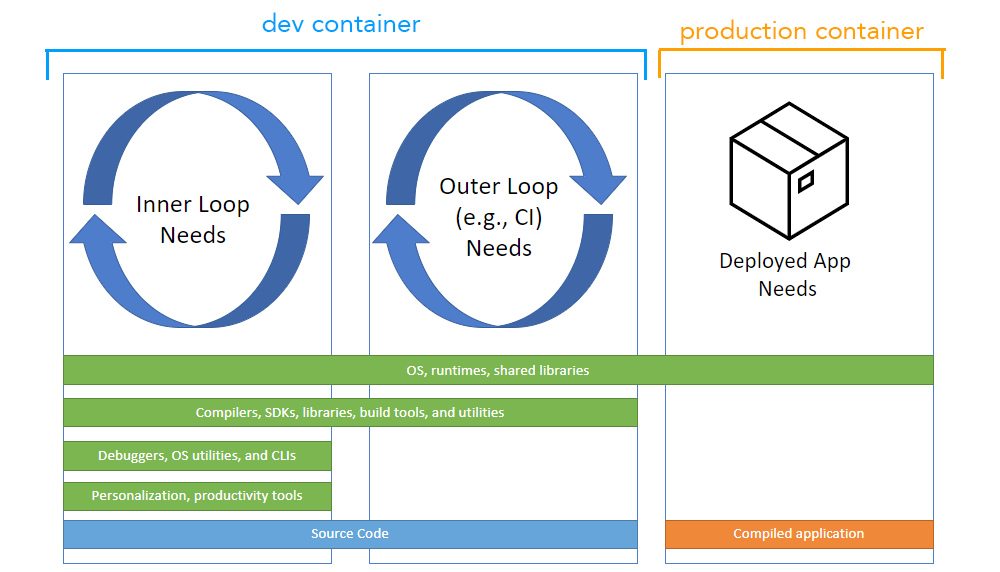
Containers have fundamentally changed how software is developed and deployed. The core idea—packaging an application with all its dependencies—solves a lot of problems around consistency and portability. You build it once, and it should run the same everywhere. This is a huge win for developers, and for operations teams who have to manage those deployments. The benefits extend to resource utilization, too, as containers are far more lightweight than traditional virtual machines.
Linux is the dominant operating system in the container world, and for good reason. The Linux kernel provides the underlying features—namespaces, cgroups, and others—that make containerization possible. While you can run containers on Windows and macOS, they typically rely on a Linux virtual machine under the hood. This means understanding Linux fundamentals is essential for anyone serious about containerized development.
Containers aren't just for microservices anymore. I see them used for everything from legacy app modernization to machine learning workflows. If you are new to this, search for the 'Linux Explained in 4 Minutes' video on YouTube for a quick start, or check out the Foci guides for a deeper look at the basics.
The shift towards containerization is driving a demand for developers with Linux skills. Being comfortable with the command line, understanding system administration concepts, and knowing how to troubleshoot Linux-based systems are all valuable assets. It’s not just about running containers; it’s about understanding the environment they run in.
Pick a distro that fits your workflow
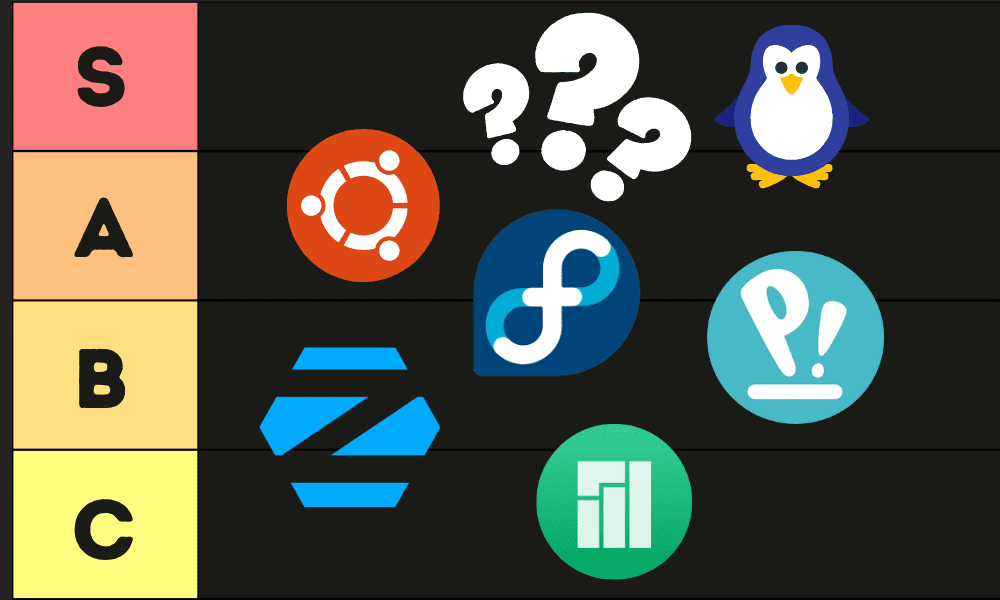
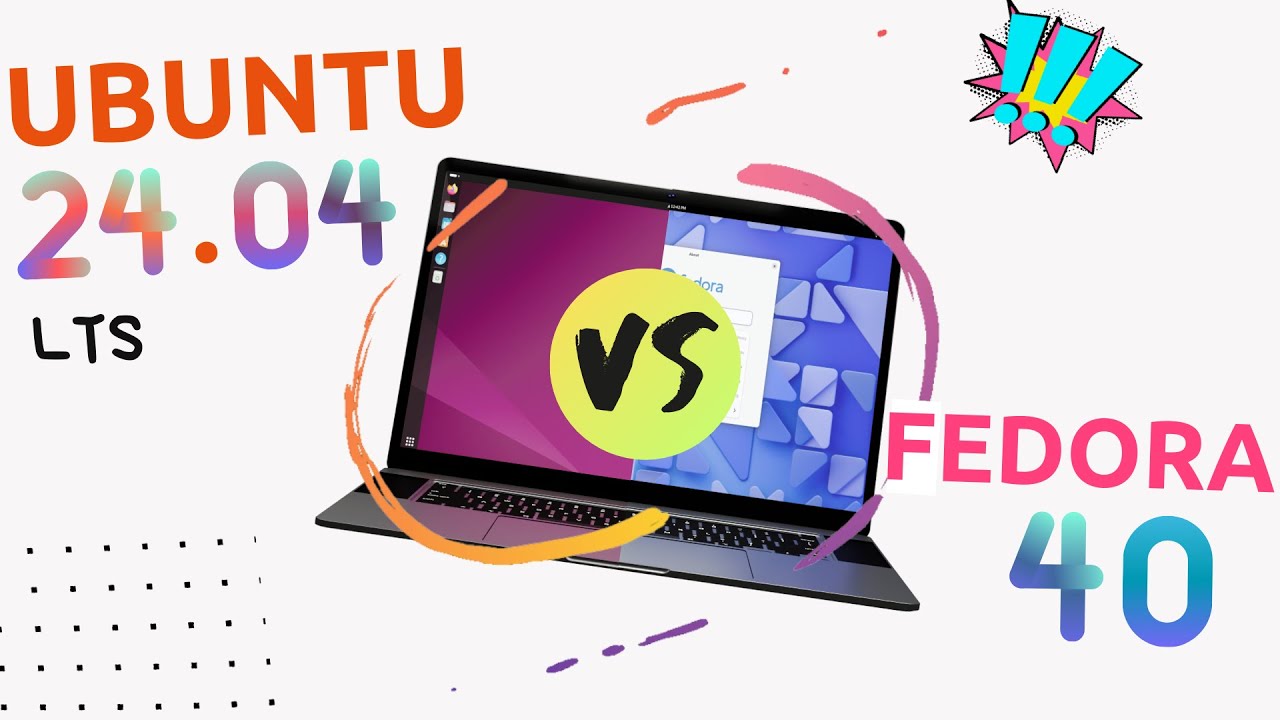
Selecting the right Linux distribution for containerized development depends on your priorities. There’s no single "best" distro, but some are more popular and well-suited than others. Ubuntu is a frequent choice, and for good reason. It has a large community, extensive documentation, and a wealth of pre-built packages. It's a good all-rounder, and a safe bet for beginners.
Fedora is another strong contender, known for its commitment to using the latest software packages. This can be an advantage if you need access to cutting-edge tools, but it also means you might encounter more frequent updates and potential compatibility issues. Debian, the foundation for Ubuntu, provides a very stable base, which is ideal for production environments where consistency is paramount.
For resource-constrained environments, or when you want to minimize the size of your container images, Alpine Linux is a popular option. It's a very lightweight distribution based on musl libc and BusyBox. However, it uses a different package manager (apk) than Ubuntu or Debian (apt), which might require a learning curve. The Jeevi Academy's Complete Linux FAQ Guide for Beginners (2026 Edition) highlights the differences between distributions well.
Ultimately, the best distro is the one you’re most comfortable with. A stable kernel is crucial; most modern distributions provide this. Consider package management, community support, and resource usage when making your decision. Don’t be afraid to experiment and find what works best for your workflow. The key is a reliable foundation for your containers.
- Ubuntu is the safe bet. It has the most documentation and a massive community if you get stuck.
- Fedora: Latest software packages, potentially less stable.
- Debian: Very stable, ideal for production.
- Alpine Linux works if you need tiny images, but it uses the apk manager instead of apt, which is a bit of a learning curve.
Linux Distributions for Containerized Development - 2026 Comparison
| Package Manager | Community Support | Resource Usage | Containerization Features | Beginner Friendliness |
|---|---|---|---|---|
| Ubuntu: Utilizes APT and dpkg. A vast number of packages are readily available. | Large and active community. Extensive online documentation and forums provide ample support. | Generally moderate resource usage, can be resource intensive with a full desktop environment. | Good support for containerization technologies like Docker and Kubernetes. Regularly updated packages facilitate compatibility. | Considered very beginner-friendly, with a large user base and numerous tutorials available. |
| Fedora: Employs DNF and RPM. Focuses on providing the latest software packages. | Strong community, particularly within the open-source development world. Well-maintained documentation. | Moderate to high resource usage, often at the forefront of software versions which can sometimes require more system resources. | Excellent support for containerization, often featuring newer versions of related tools. Strong SELinux integration enhances container security. | Moderately beginner-friendly. While documentation is good, the rapid release cycle and focus on newer packages can present challenges for newcomers. |
| Debian: Uses APT and dpkg. Known for its stability and extensive package repository. | Large and established community. Renowned for its commitment to free software principles. | Relatively low resource usage, making it suitable for older hardware or resource-constrained environments. | Good support for containerization, with a focus on stability and reliability. Provides a solid base for deploying containerized applications. | Beginner-friendly, but the emphasis on stability means packages may be older versions. The installation process is straightforward. |
| Alpine Linux: Uses apk. Designed for security, simplicity, and resource efficiency. | Smaller but active community, often found within the DevOps and containerization spaces. | Extremely low resource usage, making it ideal for minimal container images and embedded systems. | Excellent for containerization due to its small size and security focus. Commonly used as a base image for Docker containers. | Less beginner-friendly due to its minimalistic nature and different approach to system administration. Requires more familiarity with Linux concepts. |
Illustrative comparison based on the article research brief. Verify current pricing, limits, and product details in the official docs before relying on it.
Docker, Podman, and the runtime shift
Container runtimes are the engines that power containerization. They’re responsible for creating and managing containers, providing the isolation and resource control that make containers so effective. Docker was the first widely adopted container runtime, and it remains incredibly popular today. It provides a user-friendly command-line interface and a rich ecosystem of tools and integrations.
Docker's architecture involves a daemon that runs in the background and manages containers. This daemon-based approach has been a source of some security concerns, and it can also introduce a single point of failure. This is where Podman comes in. Podman is a daemonless container runtime that offers similar functionality to Docker, but without the need for a central daemon.
Podman's daemonless architecture improves security and simplifies deployment. It's also fully compatible with Docker images, so you can easily switch between the two. Other container runtimes, such as containerd, are also gaining traction, particularly in cloud-native environments. Containerd is a lower-level runtime that's often used as a building block for higher-level tools like Docker and Podman.
These tools interact directly with the Linux kernel. They use namespaces and cgroups to isolate containers. You need to understand how the kernel handles these if you want to troubleshoot performance issues. Your images—the read-only templates—live in registries like Docker Hub.
Basic Python Application Dockerfile
Creating a Dockerfile is the foundation of containerizing any application. This example demonstrates the essential steps for packaging a Python application into a Docker container, following best practices for layer optimization and security.
# Use an official Python runtime as the base image
FROM python:3.11-slim

# Set the working directory inside the container
WORKDIR /app

# Copy the requirements file to the working directory
# This is done before copying the entire application to leverage Docker's layer caching
COPY requirements.txt .

# Install Python dependencies
# Using --no-cache-dir to reduce image size by not storing pip cache
RUN pip install --no-cache-dir -r requirements.txt

# Copy the rest of the application code to the working directory
COPY . .

# Expose the port that the application will run on
EXPOSE 8000

# Define the command to run the application
# This can be overridden when running the container
CMD ["python", "app.py"]
This Dockerfile follows Docker best practices by copying requirements.txt first to take advantage of layer caching. When you modify your application code, Docker only needs to rebuild the layers after the COPY . . instruction, while the dependency installation layer remains cached. The slim Python image reduces the overall container size while providing the necessary runtime environment. Remember to create a .dockerignore file to exclude unnecessary files like .git, __pycache__, and virtual environments from the build context.
Featured Products

27-inch 4K UHD (3840 x 2160) resolution · Wide color gamut coverage · USB-C connectivity with 90W Power Delivery
This monitor provides a sharp, detailed display with excellent color accuracy and versatile connectivity, ideal for viewing code and managing multiple applications.

27-inch 4K UHD (3840 x 2160) resolution · IPS panel for wide viewing angles · USB-C connectivity with 90W Power Delivery
Offering a large, high-resolution screen with convenient USB-C power delivery, this monitor is well-suited for developers needing clear visuals and streamlined connections.

27-inch WQHD (2560 x 1440) resolution · 100% sRGB and Rec. 709 color coverage · Extensive adjustability including tilt, pivot, and swivel
With its accurate color reproduction and ergonomic design, this monitor is a solid choice for detailed visual work and comfortable extended use during development.

27-inch 4K UHD (3840 x 2160) resolution · Factory-calibrated for color accuracy (99% Rec. 709 & sRGB) · USB-C connectivity with 65W Power Delivery and USB Hub
This monitor delivers exceptional color precision and a high-resolution display, complemented by convenient USB-C connectivity and a built-in hub for a cleaner workspace.
As an Amazon Associate I earn from qualifying purchases. Prices may vary.
No comments yet. Be the first to share your thoughts!