

AI Development: Why Linux?
Linux is the go-to operating system for AI and machine learning. Its open-source nature lets developers inspect, modify, and redistribute code, which is essential for understanding and optimizing performance with complex algorithms and frameworks.
Package management is a major advantage. Distributions like Ubuntu, Fedora, and Debian offer vast repositories of pre-compiled software, simplifying the installation of AI development tools like CUDA, TensorFlow, and PyTorch. This avoids the time-consuming process of compiling from source.
The command-line interface is powerful for automation and scripting. Machine learning workflows often involve repetitive tasks, and automating these with shell scripts or Python saves significant time. The active Linux community provides extensive documentation, tutorials, and forums for support.
Linux generally offers better hardware compatibility, especially with GPUs, providing more direct access and control essential for model training. While macOS and Windows can be used for AI work, Linux provides a more flexible and powerful experience.
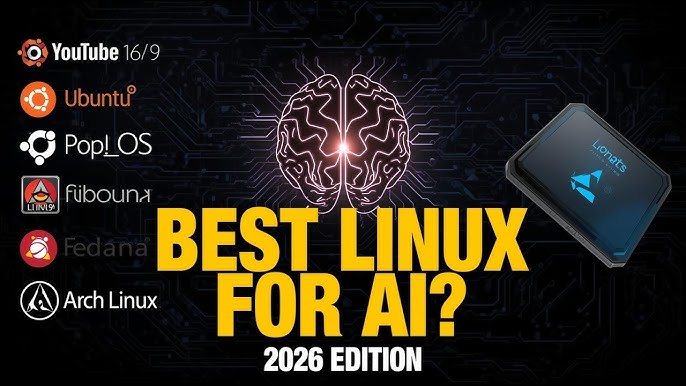
Top 7 Linux Distros for 2026
Choosing a Linux distribution depends on your specific needs and experience. Here are seven excellent options for AI development, focusing on features that enhance a machine learning engineer's workflow.
1. Ubuntu: Ubuntu is a dominant choice due to its large community, extensive documentation, and pre-built images with AI frameworks. Its seamless CUDA support accelerates GPU computing and model training. Widespread adoption means solutions to most problems are readily available.
2. Pop!_OS: Pop!_OS, developed by System76, is designed for developers and creators. It offers out-of-the-box Nvidia GPU support and a focus on usability, making it accessible to Linux newcomers. Its automatic tiling window manager can boost productivity, and it's especially strong with System76 hardware.
3. Fedora: Fedora is known for its commitment to the latest software packages and innovation, providing access to cutting-edge AI development tools. This focus on new technology can sometimes lead to less stability compared to other distributions.
4. Debian: Debian is a stable foundation for many distributions, including Ubuntu. Its legendary stability makes it suitable for long-term projects where reliability is paramount. While it may require more manual configuration for AI/ML tasks, its vast package repository is comprehensive.
5. Manjaro: Manjaro provides a user-friendly experience compared to Arch Linux, with access to the Arch User Repository (AUR). The AUR contains many community-maintained packages, including specialized AI development tools, making it a good option for those seeking Arch's flexibility without its steep learning curve.
6. Arch Linux: Arch Linux is a highly customizable distribution offering complete system control. Its rolling release model ensures access to the latest software, but it requires significant technical expertise for setup and maintenance, making it best for experienced users seeking an optimized system.
7. openSUSE: openSUSE is a powerful and versatile distribution. Its YaST configuration tool simplifies system administration, and its stability is comparable to Debian. It offers both a rolling release (Tumbleweed) and a fixed release (Leap) option.
- Ubuntu
- Pop!_OS
- Fedora
- Debian
- Manjaro
- Arch Linux
- openSUSE
Linux Distributions for AI/ML Development: A Comparative Overview (2026)
| Distribution | Skill Level | Package Availability | GPU Support | Community Support |
|---|---|---|---|---|
| Ubuntu | Beginner to Intermediate | Excellent availability of AI/ML frameworks and libraries. | Excellent, with comprehensive driver support for major GPU vendors. | Excellent, benefiting from a large and active user base. |
| Pop!_OS | Beginner to Intermediate | Strong pre-configured support for popular machine learning tools. | Excellent, specifically designed with NVIDIA GPU users in mind. | Good, leveraging the Ubuntu community with a dedicated Pop!_OS forum. |
| Debian | Intermediate | Good availability, though may require more manual configuration of newer packages. | Good, with generally reliable driver support, but potentially lagging edge releases. | Good, with a long-standing and helpful community focused on stability. |
| Fedora | Intermediate to Advanced | Excellent, often featuring the latest versions of AI/ML software. | Good, providing up-to-date drivers and tools for GPU acceleration. | Good, with a strong community focused on open-source development. |
| Arch Linux | Advanced | Fair, requiring significant user configuration and package management expertise. | Fair, demanding manual configuration for optimal GPU performance. | Fair, the Arch Wiki is comprehensive, but support relies on self-reliance. |
| Manjaro | Intermediate | Good, offering a balance between accessibility and up-to-date packages. | Good, providing tools for managing NVIDIA and AMD GPUs. | Good, benefiting from the Arch Linux community with a more user-friendly approach. |
| openSUSE Leap | Intermediate | Good, with a focus on stability and a comprehensive software repository. | Good, offering reliable driver support for various GPU models. | Good, with a dedicated community and extensive documentation. |
Qualitative comparison based on the article research brief. Confirm current product details in the official docs before making implementation choices.
Ubuntu: The Established Leader
Ubuntu's dominance is due to its large community, providing ample online resources and readily available help. Solutions to problems are often documented, and extensive guides and tutorials cover system administration to AI development.
Pre-built images with AI frameworks like TensorFlow and PyTorch save significant time, allowing quick setup without hours of dependency installation. Ubuntu Pro offers paid support with extended security maintenance, while the free version is sufficient for many individual developers.
Ubuntu offers several official 'flavors' with different desktop environments: Kubuntu (KDE Plasma) for customization, Xubuntu (Xfce) for lightweight use on older hardware, Lubuntu (LXQt) for minimal use, and Ubuntu Mate for a traditional desktop experience. The choice depends on hardware and personal preference.
Ubuntu can be resource-intensive, particularly with the GNOME desktop environment. Snap packages, while convenient, have faced criticism for performance and size. However, Ubuntu's ecosystem benefits generally outweigh these drawbacks for most AI development workflows.
- Kubuntu (KDE Plasma)
- Xubuntu (Xfce)
- Lubuntu (LXQt)
- Ubuntu Mate (Mate)
Essential Hardware for Ubuntu AI Development

24GB GDDR6X Memory · 2595 MHz Clock Speed · PCI Express Gen 4 Interface
This graphics card offers substantial VRAM and processing power, ideal for training large AI models and handling complex deep learning tasks.

20GB GDDR6 Memory · AMD RDNA 3 Architecture · PCI Express 4.0 Interface
A powerful option with ample memory for demanding AI workloads, providing excellent performance for its price point.

128GB Total Capacity (4x32GB) · 5600MHz Speed · DDR5 Technology
This high-capacity, high-speed RAM ensures smooth multitasking and efficient data handling for large datasets and complex AI computations.

2TB NVMe M.2 PCIe Gen4 SSD · Up to 7,450 MB/s Sequential Read Speed · M.2 2280 Form Factor
Provides extremely fast storage access, significantly reducing model loading times and improving overall system responsiveness for AI development.

Intel Celeron J3355 Processor · 6GB RAM, 128GB eMMC Storage · Supports M.2 SSD Expansion
A cost-effective and compact solution for basic AI development tasks or as a dedicated machine for running inference, with upgrade potential.
As an Amazon Associate I earn from qualifying purchases. Prices may vary.
Arch Linux & Manjaro: Customization Power
Arch Linux and Manjaro offer different approaches to Linux, both based on the Arch Linux core but catering to varying expertise levels. Arch Linux is a DIY distribution built from the ground up, offering maximum control and a highly optimized system tailored to specific needs.
Manjaro provides a more user-friendly experience with a graphical installer and pre-configured desktop environments, simplifying setup. It includes hardware detection tools and curated software. Both distributions use a rolling release model for access to the latest packages.
The Arch User Repository (AUR) is a community-maintained repository with build scripts for thousands of packages not in official repositories. This is useful for AI development, offering specialized tools and libraries, but requires caution as packages are not officially vetted.
These distributions suit experienced Linux users comfortable with the command line and troubleshooting. Arch Linux stability has improved but can still break after major updates. Manjaro offers more stability but still requires technical proficiency.
Fedora & openSUSE: Rising Contenders
undefinededge technology and its commitment to open-source principles. It’s often the first distribution to adopt new software packages and features, making it a good choice for developers who want to stay on the bleeding edge.
openSUSE, meanwhile, is renowned for its stability and its powerful YaST configuration tool. YaST provides a graphical interface for managing almost every aspect of the system, making it easier to configure and maintain. It offers both a rolling release (Tumbleweed) and a fixed release (Leap) version, giving you a choice based on your needs.
In terms of AI/ML package availability, both distributions are comparable to Ubuntu. You can easily install TensorFlow, PyTorch, and other popular frameworks using their respective package managers. However, the community support for AI/ML might be slightly smaller than Ubuntu’s.
Whether they’re truly gaining ground on Ubuntu is debatable. Fedora’s rapid release cycle can sometimes lead to instability, while openSUSE’s YaST tool, while powerful, can be overwhelming for newcomers. But both offer compelling alternatives for developers who want something different.
Which Linux distro are you currently using for AI and machine learning development?
As machine learning engineers continue to rely on Linux as their primary development platform, we want to know which distro powers your AI workflows. Whether you prioritize package availability, hardware compatibility, or cutting-edge kernel support, your choice matters. Vote below and share your experience in the comments!
Pop!_OS: The System76 Advantage
Pop!_OS, developed by System76, is more than just a Linux distribution; it’s a complete ecosystem designed for developers and creators. Its close ties to System76 hardware are a major advantage, particularly for those using System76 laptops or desktops. It boasts out-of-the-box support for Nvidia GPUs, making it incredibly easy to get started with GPU-accelerated computing.
The automatic tiling window manager can significantly boost productivity, allowing you to organize your workspace more efficiently. Pop!_OS also includes a number of other usability enhancements, such as a streamlined system settings panel and a built-in screen recording tool. If you’re considering purchasing a System76 machine, Pop!_OS is the clear choice.
Compared to Ubuntu, Pop!_OS generally offers better performance, particularly on System76 hardware. It’s also more focused on usability, with a cleaner and more intuitive interface. However, it’s still based on Ubuntu, so you have access to the same vast software repository and community support.

System76 Darter Pro Laptop
- Pre-installed with System76's Pop!_OS Linux distribution, optimized for developers
- Configurable with powerful Intel Core processors and NVIDIA GeForce RTX GPUs for AI workloads
- High-resolution display and ample RAM options suitable for complex model training and data visualization
The System76 Darter Pro is a purpose-built laptop for developers, offering a seamless Linux experience with hardware optimized for demanding AI and machine learning tasks, making it an excellent choice for engineers seeking a powerful and reliable development environment.
View on Amazon →As an Amazon Associate I earn from qualifying purchases.
Debian: The Stable Foundation
Debian is the grandfather of many Linux distributions, known for its unwavering commitment to stability and its vast package repository. It’s a good choice for long-term projects where reliability is paramount. Debian’s stability comes at a cost: it typically ships with older software packages. This means you might need to manually install newer versions of certain AI/ML frameworks.
While Debian might require more manual configuration for AI/ML tasks compared to Ubuntu or Pop!_OS, its extensive package repository ensures you can find almost anything you need. It’s a solid choice for experienced Linux users who prioritize stability and control. However, newcomers might find the initial setup process more challenging.
No comments yet. Be the first to share your thoughts!