

The AI Development Landscape in 2026: Why Linux Still Reigns
The world of Artificial Intelligence is evolving rapidly, but one thing remains remarkably consistent: Linux’s dominance as the operating system of choice for developers. In 2026, this trend isn't slowing down. It’s rooted in the OS’s inherent flexibility, allowing developers to tailor environments precisely to their needs. The cost factor is also significant, as most of the crucial AI and Machine Learning tools are either free and open-source or have strong Linux support.
The open-source nature of the vast majority of AI frameworks – TensorFlow, PyTorch, scikit-learn – is a huge draw. These tools are designed with Linux in mind, meaning better performance and easier integration. We're also seeing an explosion in specialized AI hardware, like NVIDIA GPUs and Google TPUs. Linux handles these accelerators with a level of efficiency that proprietary operating systems often struggle to match.
While cloud-based AI development is certainly gaining traction, local development and experimentation remain absolutely critical. You need a place to prototype, debug, and refine models before deploying them to the cloud. And that's where a well-configured Linux system shines. It’s the environment where many of the foundational advancements in AI are happening and will continue to happen. The control and access it provides are unmatched.
The increasing complexity of AI models and the demand for larger datasets mean that resource management is more important than ever. Linux provides the tools and the granular control needed to optimize performance and efficiently utilize system resources. This is especially true for those working with edge computing or embedded AI applications.
Ubuntu: The Accessible Starting Point for AI Newcomers
For those new to Linux and AI development, Ubuntu is almost always the recommended starting point. Its large and active community means you’re never truly alone when facing a problem. Extensive documentation, tutorials, and forums are readily available, making the learning curve far less steep. This widespread support is a significant advantage, especially for beginners.
Ubuntu also boasts excellent hardware compatibility, working seamlessly with a wide range of devices. Installing popular AI frameworks like TensorFlow and PyTorch is remarkably straightforward, often requiring just a few simple commands. The availability of pre-built packages further streamlines the setup process, saving valuable time and effort. You can get up and running quickly.
Ubuntu’s release cycle offers a choice between regular releases – providing the latest software – and Long Term Support (LTS) versions, which prioritize stability. For long-term projects, an LTS release is generally preferred, ensuring a consistent and reliable development environment. The LTS releases are supported for five years, a considerable benefit for production environments.
Furthermore, Ubuntu is widely supported on major cloud platforms like AWS, Azure, and Google Cloud. This makes it easy to transition your projects from local development to the cloud, leveraging scalable resources as needed. This integration is a huge plus for teams working in hybrid environments.
Debian: Stability and Control for Production AI Systems
Debian is renowned for its rock-solid stability, making it an excellent choice for deploying AI models in production environments. Its rigorous testing process and commitment to quality ensure a reliable and predictable system. This is crucial when you need your AI applications to run without interruption.
Debian’s extensive package repository provides access to a vast collection of software, including the tools necessary for AI development. Experienced users appreciate the level of control Debian offers over system configuration, allowing for fine-tuning to optimize performance. While this control comes with increased responsibility, the benefits can be substantial.
I’m not sure about a direct correlation to AI performance gains, but the inherent stability of Debian minimizes downtime, which is critical for time-sensitive AI applications. The different Debian flavors – stable, testing, and unstable – cater to different needs. The "stable" branch is typically preferred for production systems.
It’s worth noting that Debian’s conservative approach to software updates means you might not always have access to the very latest versions of AI frameworks. However, this trade-off is often acceptable in exchange for increased stability and reliability. Debian is a workhorse, designed to keep things running smoothly.
Arch Linux: Customization and Cutting-Edge Performance for AI Researchers
Arch Linux appeals to AI researchers and developers who demand maximum control and access to the latest software. Its rolling release model ensures that you always have the newest versions of packages, including AI frameworks and libraries. This can be a significant advantage when experimenting with cutting-edge technologies.
The Arch User Repository (AUR) is a massive collection of user-contributed packages, expanding the software availability beyond the official repositories. This provides access to a wide range of specialized tools and libraries that might not be available elsewhere. It’s a powerful resource, but requires some familiarity with the system.
However, Arch Linux has a steeper learning curve than many other distributions. It requires more manual configuration and a deeper understanding of Linux internals. Be prepared to spend time configuring your system to your exact specifications. It’s not a beginner-friendly distribution, but the rewards can be substantial.
Arch’s minimalist nature can lead to optimized performance, as you only install the software you need. This can be particularly beneficial for resource-intensive AI workloads. But remember, this optimization comes at the cost of time and effort. It’s a commitment to a highly customized experience.
Linux Distribution Comparison for AI Development - 2026
| Distribution | Ease of Use | Stability | Customization | Package Availability | Community Support | Performance |
|---|---|---|---|---|---|---|
| Ubuntu | High | High | Medium | High | High | Good |
| Debian | Medium | Very High | Medium | High | Medium | Good |
| Arch Linux | Low | Medium | Very High | Medium | Medium | Better for advanced users |
Qualitative comparison based on the article research brief. Confirm current product details in the official docs before making implementation choices.
Fedora: Innovation and the Latest AI Tools
Fedora is known for its focus on incorporating the newest software packages and technologies. This makes it a good choice for developers who want to be on the bleeding edge of AI innovation. It’s a distribution that embraces change and actively seeks out the latest advancements.
Its close ties to Red Hat provide a level of stability and enterprise support that some other distributions lack. This relationship can be beneficial for developers who anticipate needing long-term support or integration with Red Hat technologies. Fedora often serves as a testing ground for features that eventually make their way into Red Hat Enterprise Linux.
The shorter release cycle – roughly every six months – means you’ll have access to new features and updates more frequently. This can be exciting, but it also means more frequent upgrades and potential compatibility issues. It’s a trade-off between innovation and stability.
Fedora has a strong commitment to free and open-source software, which aligns well with the ethos of the AI development community. This commitment ensures that you’re using tools and technologies that are transparent and auditable.
Top Linux Distros for AI Development
- Ubuntu - Remains a dominant force due to its extensive community support, readily available pre-built packages (like those for TensorFlow and PyTorch), and strong hardware compatibility. Its LTS releases provide stability crucial for long-running training jobs.
- Fedora - Increasingly popular among AI developers, Fedora offers cutting-edge packages and a focus on free and open-source software. Recent developer feedback (see tweets below) highlights its suitability for experimentation and rapid prototyping. It often incorporates the latest versions of key libraries.
- Debian - Known for its stability and robustness, Debian is a solid choice for deploying AI models in production environments. While it may not always have the *newest* packages, its reliability is a significant advantage.
- Pop!_OS - Developed by System76, Pop!_OS is built with machine learning and data science in mind. It offers excellent NVIDIA driver support (important for GPU-accelerated training) and comes with pre-installed tools useful for AI workflows.
- Arch Linux - For experienced Linux users, Arch Linux provides a highly customizable environment. This allows developers to tailor the system specifically to their AI development needs, but requires significant technical expertise.
- Rocky Linux - A community enterprise operating system designed to be 100% bug-for-bug compatible with Red Hat Enterprise Linux. Offers stability and is well-suited for production AI deployments where consistency is paramount.
- Manjaro - Based on Arch Linux, Manjaro offers a more user-friendly experience while still providing access to the Arch User Repository (AUR) and a rolling release model. This can be beneficial for accessing the latest AI-related packages.
Pop!_OS: A Streamlined Experience for Deep Learning
Pop!_OS, developed by System76, is specifically designed with developers – especially those involved in deep learning – in mind. It stands out with its pre-configured NVIDIA drivers, simplifying the setup process for GPU-accelerated AI workloads. This is a huge time-saver for anyone working with deep neural networks.
Its automatic tiling window manager enhances productivity by automatically arranging windows in an efficient layout. This can be particularly useful when working with multiple monitors or complex projects. Pop!_OS is designed to get out of your way and let you focus on your work.
As a spin-off of Ubuntu, Pop!_OS maintains excellent compatibility with Ubuntu packages and repositories. This means you can leverage the vast Ubuntu ecosystem while benefiting from Pop!_OS’s specialized features. It’s the best of both worlds.
System76 also offers a range of hardware specifically designed to work seamlessly with Pop!_OS. Their laptops and desktops are pre-configured for optimal performance and compatibility, providing a complete development solution. This tight integration is a significant advantage for users who value convenience.
Choosing the Right Distro: A Summary and Considerations
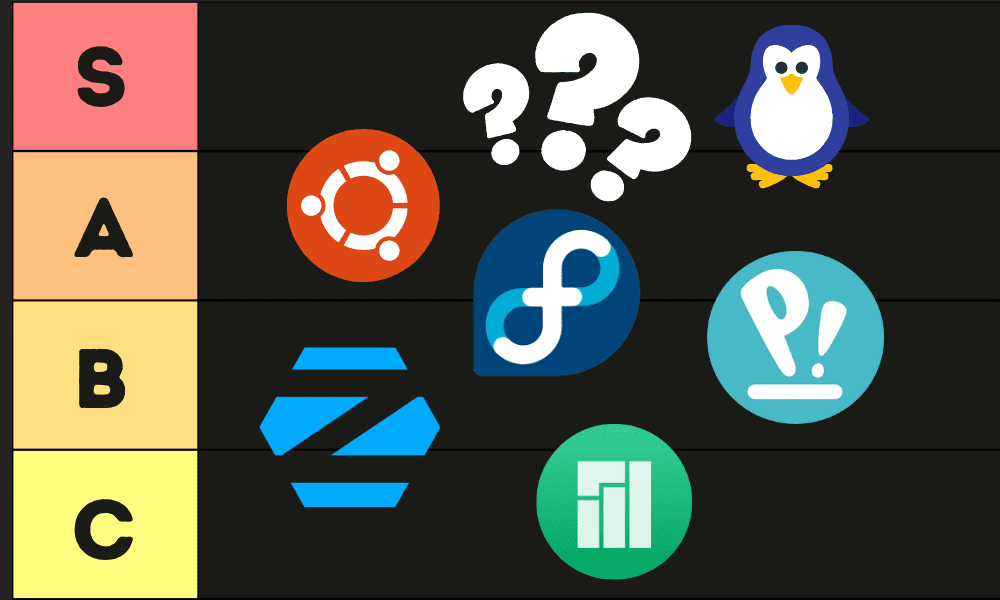
We’ve covered a lot of ground. Ubuntu is the ideal starting point for beginners, offering ease of use and a vast community. Debian provides rock-solid stability for production environments. Arch Linux caters to researchers who need maximum control and the latest software. Fedora embraces innovation and cutting-edge tools. And Pop!_OS streamlines the deep learning workflow with pre-configured drivers and a focus on usability.
For a newcomer to both Linux and AI, I strongly recommend Ubuntu. The learning curve is gentle, and the support network is immense. If you’re deploying AI models in a production setting where stability is paramount, Debian is the clear choice. Researchers who need to experiment with the latest advancements will likely find Arch Linux the most rewarding, despite its challenges.
The best choice ultimately depends on your individual needs and preferences. Consider your level of experience, the type of AI projects you’re working on, and your priorities – whether it’s ease of use, stability, performance, or access to the latest software. Don't be afraid to try out a few different distributions to see which one feels the most comfortable.
Also, remember to check hardware compatibility before making a final decision. Ensure that your chosen distribution supports your GPU, CPU, and other peripherals. Finally, consider the long-term support options available for each distribution. A well-supported distribution will receive security updates and bug fixes for years to come.
Most developers are using Claude Code wrong.
— Swadesh Kumar (@swadeshkumar_) April 4, 2026
They treat it like a coding assistant:
Prompt → Output → Repeat.
That works… until it doesn’t.
Because real AI development isn’t about prompts.
It’s about systems.
Here’s the Claude Code setup that changes everything 👇
•… pic.twitter.com/XPLVIEWoX5
No comments yet. Be the first to share your thoughts!