

Introduction to Linux for Beginners: Why Make the Switch in 2024?
Linux has evolved dramatically over the past decade, transforming from a system primarily used by developers and tech enthusiasts into a viable desktop operating system for everyday users. In 2024, choosing the right Linux distribution as a beginner can feel overwhelming with hundreds of options available. However, three distributions consistently rise to the top for newcomers: Ubuntu, Linux Mint, and Pop!_OS.
The appeal of Linux lies in its freedom, security, and customization options. Unlike proprietary operating systems, Linux distributions are open-source, meaning they're free to download, use, and modify. This translates to significant cost savings, especially for users running older hardware that might struggle with resource-heavy commercial operating systems.
What Makes a Linux Distro Beginner-Friendly?
Before diving into specific recommendations, it's essential to understand what characteristics make a Linux distribution suitable for beginners. The best Linux distros for newcomers share several key features that ease the transition from Windows or macOS.
Beginner-Friendly Linux Distros Comparison: Ubuntu vs Mint vs Pop!_OS (2024)
| Feature | Ubuntu 24.04 LTS | Linux Mint 21.3 | Pop!_OS 22.04 LTS |
|---|---|---|---|
| Installation Difficulty | Very Easy (Guided installer) | Very Easy (User-friendly installer) | Easy (Streamlined process) |
| Hardware Compatibility | Excellent (Wide driver support) | Excellent (Based on Ubuntu) | Good (NVIDIA optimized) |
| Pre-installed Software | LibreOffice, Firefox, Thunderbird | LibreOffice, Firefox, Media codecs | LibreOffice, Firefox, Pop Shop |
| Desktop Environment | GNOME 46 | Cinnamon 6.0 | GNOME 42 (Modified) |
| Software Repository Size | 75,000+ packages | 75,000+ packages (Ubuntu base) | 65,000+ packages |
| Community Support | Very Large (Millions of users) | Large (Active forums) | Growing (System76 backed) |
| Learning Resources | Extensive documentation, tutorials | Comprehensive guides, forums | Official docs, community guides |
| System Requirements | 4GB RAM, 25GB storage | 2GB RAM, 20GB storage | 4GB RAM, 20GB storage |
User interface familiarity plays a crucial role in adoption success. The most beginner-friendly distributions offer desktop environments that feel intuitive to users coming from other operating systems. Additionally, comprehensive software repositories ensure users can easily find and install applications without resorting to complex command-line procedures.
Hardware compatibility represents another critical factor. Modern Linux distributions have made significant strides in supporting a wide range of hardware out-of-the-box, including wireless cards, graphics drivers, and printer support. This reduces the technical barriers that previously deterred beginners from making the switch.
The Current Linux Landscape in 2024
As of 2024, the Linux desktop market has matured considerably. Ubuntu 24.04 LTS, released in April 2024, continues to set the standard for stability and user-friendliness. This Long Term Support release provides five years of security updates and bug fixes, making it an excellent choice for users who prefer stability over cutting-edge features.
Linux Mint has maintained its reputation as the most Windows-like Linux experience, with its latest version, Linux Mint 21.3 "Virginia," offering an even more polished interface. The distribution's focus on providing a familiar desktop environment has made it particularly popular among users migrating from Windows.
Pop!_OS, developed by System76, has gained significant traction among both beginners and power users. Its emphasis on gaming compatibility and streamlined user experience has attracted users looking for a modern, performance-oriented Linux distribution that doesn't sacrifice ease of use.
Understanding Your Needs as a Linux Beginner
Before selecting a specific distribution, new Linux users should evaluate their primary computing needs and technical comfort level. Consider whether you'll primarily use your computer for web browsing, office work, multimedia consumption, or more specialized tasks like programming or gaming.
Your hardware specifications also influence the best choice. While modern Linux distributions are generally lightweight compared to commercial alternatives, some are specifically optimized for older hardware or resource-constrained systems. Understanding your system's capabilities helps narrow down the most suitable options.
The learning curve varies significantly between distributions. Some prioritize ease of use and familiar interfaces, while others offer more customization options that might overwhelm newcomers. Honest self-assessment of your technical comfort level and willingness to learn new concepts will guide you toward the most appropriate choice.
Find Your Perfect Linux Distro: Ubuntu, Mint, or Pop!_OS?
Choosing your first Linux distribution can feel overwhelming with so many options available. This quiz will help you determine which of the three most beginner-friendly Linux distros - Ubuntu, Linux Mint, or Pop!_OS - best matches your computing needs, technical background, and specific requirements. Answer these questions honestly to discover your ideal starting point in the Linux world.
Community support and documentation quality can make or break the beginner experience. The three distributions we'll examine in detail all offer extensive community forums, wikis, and tutorial resources. However, the style and accessibility of these resources differ, and finding a community that matches your learning style and communication preferences is valuable for long-term success.
In the following sections, we'll dive deep into Ubuntu, Linux Mint, and Pop!_OS, examining their strengths, potential drawbacks, and ideal use cases. We'll also provide practical guidance on installation, initial setup, and essential software recommendations to help you make an informed decision about your first Linux distribution.
Deep Dive: Ubuntu, Linux Mint, and Pop!_OS Feature Comparison
Now that we've established why Linux is an excellent choice for beginners in 2024, let's examine the three most recommended distributions in detail. Each of these operating systems offers unique advantages, and understanding their differences will help you make an informed decision based on your specific needs and preferences.
Linux Distros for Beginners: Feature Comparison
| Feature | Ubuntu 24.04 LTS | Linux Mint 21.3 | Pop!_OS 22.04 LTS |
|---|---|---|---|
| Desktop Environment | GNOME 46 | Cinnamon 6.0 | GNOME 42 (customized) |
| Minimum RAM | 4 GB | 2 GB | 4 GB |
| Minimum Storage | 25 GB | 20 GB | 20 GB |
| Package Manager | APT (Snap support) | APT | APT (Flatpak preferred) |
| Release Cycle | 6 months (LTS every 2 years) | Based on Ubuntu LTS | Based on Ubuntu LTS |
| Target Audience | General users, developers | Windows migrants, traditional desktop users | Developers, gamers, creators |
| Pre-installed Software | Firefox, LibreOffice, Thunderbird | Firefox, LibreOffice, multimedia codecs | Firefox, LibreOffice, Pop!_Shop |
| Hardware Support | Excellent | Excellent | Excellent (NVIDIA focus) |
Ubuntu 24.04 LTS: The Gold Standard for Linux Beginners
Ubuntu 24.04 LTS represents the pinnacle of user-friendly Linux distributions. Released in April 2024, this Long Term Support version guarantees security updates and maintenance until 2029, making it an ideal choice for users who prioritize stability and long-term support. Ubuntu's GNOME desktop environment provides a modern, clean interface that feels familiar to users transitioning from macOS or Windows 11.
The distribution excels in hardware compatibility, supporting a vast array of devices out of the box. Ubuntu's Software Center simplifies application installation, offering both traditional .deb packages and modern Snap packages. This dual approach ensures users have access to the latest software while maintaining system stability.
Linux Mint 21.3 "Virginia": Windows Users' Best Friend
Linux Mint 21.3 "Virginia" specifically targets users migrating from Windows, offering three desktop environments: Cinnamon, MATE, and Xfce. The Cinnamon edition is particularly popular among beginners due to its Windows-like taskbar, start menu, and overall layout. This familiar interface reduces the learning curve significantly, allowing new users to become productive immediately.
Mint's approach to multimedia codecs sets it apart from Ubuntu. The distribution includes proprietary codecs and drivers by default, ensuring that users can play various media formats and utilize their graphics cards effectively without additional configuration. This plug-and-play philosophy makes Mint exceptionally beginner-friendly.
Pop!_OS: The Developer-Friendly Newcomer
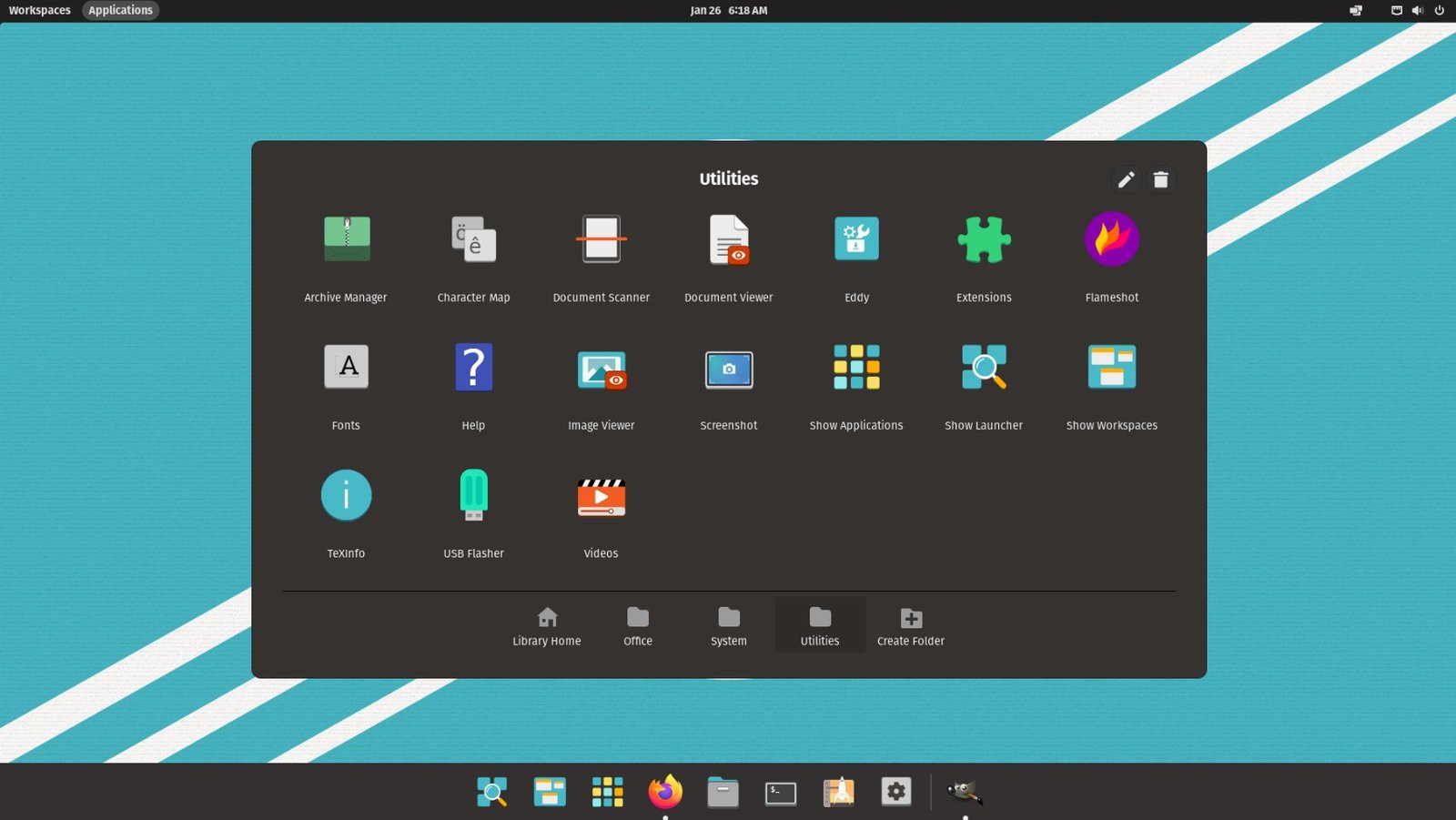
Developed by System76, Pop!_OS has gained significant traction among both beginners and developers. Built on Ubuntu's foundation, it offers enhanced performance optimizations and a customized GNOME experience called COSMIC. The distribution provides separate ISO images for systems with NVIDIA graphics cards, automatically installing the necessary proprietary drivers.
Pop!_OS excels in workspace management and productivity features. Its automatic window tiling, enhanced keyboard shortcuts, and streamlined application launcher make it particularly appealing to users who value efficiency and modern design principles.
Making Your Decision: Which Distribution Fits Your Needs?
Selecting the right Linux distribution depends on several factors including your technical background, hardware specifications, and intended use cases. Ubuntu remains the safest choice for absolute beginners due to its extensive documentation and community support. The Ubuntu community forums and official documentation provide comprehensive guidance for virtually any issue you might encounter.
Linux Mint appeals to users who want immediate productivity without a steep learning curve. Its conservative approach to updates and focus on stability make it ideal for users who prioritize reliability over cutting-edge features. The distribution's multimedia capabilities and Windows-like interface create a comfortable transition experience.
Pop!_OS targets users who appreciate modern design and enhanced productivity features. While still beginner-friendly, it offers more advanced customization options and performance optimizations that appeal to users ready to explore Linux's capabilities more deeply.
Each of these distributions offers excellent community support, regular security updates, and extensive software repositories. Your choice ultimately depends on personal preferences regarding interface design, update frequency, and specific feature requirements. The beauty of Linux lies in its flexibility – you can always try different distributions using live USB drives before making a permanent installation decision.
Installation Guide and Getting Started with Your Chosen Linux Distro
After comparing Ubuntu, Linux Mint, and Pop!_OS, you're ready to take the next step. Installing Linux has become remarkably straightforward in 2024, with improved hardware detection and user-friendly installation wizards across all three distributions. This section will guide you through the installation process and help you get started with your new Linux system.
Step-by-Step Installation Process
The installation process is similar across all three distributions, though each has its unique touches. Before beginning, ensure you have at least 25GB of free disk space and a reliable internet connection for downloading updates during installation.
Essential Post-Installation Setup
Once your chosen Linux distro is installed, there are several important steps to optimize your experience. These initial configurations will ensure your system runs smoothly and meets your specific needs.
Choosing the Right Distribution for Your Needs
With three excellent options available, selecting the best Linux distro depends on your specific requirements and preferences. Ubuntu excels in enterprise environments and offers the largest community support network. Linux Mint provides the smoothest transition for Windows users with its familiar interface and extensive multimedia codec support out of the box. Pop!_OS stands out for gaming enthusiasts and users with newer hardware, particularly those with NVIDIA graphics cards.
Consider your primary use case when making this decision. If you're planning to use Linux for development work or server applications, Ubuntu's extensive documentation and corporate backing make it an excellent choice. For everyday computing tasks like web browsing, office work, and media consumption, Linux Mint's polished interface and stability shine. Gamers and content creators will appreciate Pop!_OS's optimized drivers and performance-focused features.
Learning Resources and Community Support
One of Linux's greatest strengths is its vibrant community ecosystem. Each distribution offers comprehensive documentation, forums, and learning resources. Ubuntu's Ask Ubuntu platform provides answers to thousands of common questions, while Linux Mint's forums are known for their welcoming atmosphere toward beginners. Pop!_OS benefits from System76's professional support and growing community presence.
Guide Techy recommends bookmarking the official documentation for your chosen distribution and joining relevant community forums. These resources will prove invaluable as you continue your Linux journey and encounter new challenges or want to explore advanced features.
Final Recommendations
For absolute beginners making their first transition to Linux, we recommend starting with Linux Mint due to its Windows-like interface and comprehensive out-of-the-box experience. Users interested in staying current with the latest technologies should consider Ubuntu for its cutting-edge packages and extensive third-party support. Those prioritizing gaming performance or working with modern hardware configurations will find Pop!_OS offers the best optimized experience.
Remember that switching between Linux distributions is relatively straightforward, so your initial choice isn't permanent. Many Linux users experiment with multiple distributions before settling on their preferred option. The skills you learn on one distribution largely transfer to others, making any of these three choices an excellent starting point for your Linux journey in 2024.
No comments yet. Be the first to share your thoughts!