

Introduction: Why Linux Matters for AI and Machine Learning Development
As artificial intelligence and machine learning continue to reshape the technology landscape in 2024, developers need robust, flexible operating systems that can handle demanding computational workloads. Linux distributions have emerged as the gold standard for AI development, offering superior performance, extensive customization options, and seamless integration with cutting-edge frameworks and libraries.
The choice of Linux distribution can significantly impact your development workflow, from initial setup to production deployment. Unlike proprietary operating systems, Linux provides developers with complete control over their environment, enabling optimization for specific AI workloads and hardware configurations. This level of customization is particularly crucial when working with GPU acceleration, distributed computing, or containerized machine learning pipelines.

Current State of AI Development on Linux
The AI development ecosystem has evolved dramatically, with Linux distributions adapting to meet the growing demands of machine learning practitioners. Modern AI workflows require seamless integration between development environments, version control systems, and deployment platforms. Linux excels in this area by providing native support for containerization technologies like Docker and Kubernetes, which are essential for scalable AI applications.
Furthermore, the open-source nature of Linux aligns perfectly with the collaborative spirit of the AI community. Most machine learning frameworks, including TensorFlow, PyTorch, and scikit-learn, are developed and tested primarily on Linux systems. This ensures optimal compatibility and performance when running AI workloads.
Linux Distributions for AI/ML: System Requirements and Performance Comparison
| Distribution | Minimum RAM (GB) | GPU Support | Pre-installed AI Frameworks | Package Manager Performance |
|---|---|---|---|---|
| Ubuntu 24.04 LTS | 4 | NVIDIA CUDA 12.x, AMD ROCm 6.x | TensorFlow 2.16, PyTorch 2.2 | APT - Fast |
| Pop!_OS 22.04 | 4 | NVIDIA CUDA 12.x (optimized) | TensorFlow 2.15, PyTorch 2.1 | APT - Fast |
| Fedora 40 | 2 | NVIDIA CUDA 12.x, AMD ROCm 6.x | PyTorch 2.2, scikit-learn 1.4 | DNF - Medium |
| CentOS Stream 9 | 2 | NVIDIA CUDA 11.8, AMD ROCm 5.x | TensorFlow 2.13, PyTorch 1.13 | YUM/DNF - Medium |
| Arch Linux | 2 | NVIDIA CUDA 12.x, AMD ROCm 6.x | Manual installation required | Pacman - Very Fast |
| openSUSE Tumbleweed | 4 | NVIDIA CUDA 12.x, AMD ROCm 6.x | TensorFlow 2.15, PyTorch 2.1 | Zypper - Medium |
| Deep Learning AMI (Amazon Linux 2) | 8 | NVIDIA CUDA 12.x, AWS Inferentia | TensorFlow 2.16, PyTorch 2.2, MXNet 1.9 | YUM - Fast |
Key Factors for Choosing an AI-Focused Linux Distribution
When selecting the best Linux distros for AI development, several critical factors must be considered. Hardware compatibility stands as the primary concern, particularly regarding GPU support for CUDA and OpenCL frameworks. The distribution must provide seamless driver installation and management for NVIDIA, AMD, and Intel hardware acceleration.
Package management efficiency directly impacts development productivity. The ideal distribution should offer comprehensive repositories containing the latest versions of Python, R, and essential AI libraries. Additionally, the ability to easily install and manage multiple Python environments through tools like conda or virtualenv is crucial for maintaining project isolation and reproducibility.
Community support and documentation quality significantly influence the development experience. Distributions with active communities provide faster problem resolution, extensive tutorials, and regular updates that incorporate the latest AI tools and frameworks. Long-term support (LTS) versions offer stability for production environments, while rolling release models provide access to cutting-edge features.
Understanding AI Workload Requirements
Different AI and machine learning tasks place varying demands on the underlying operating system. Deep learning applications require robust GPU support and efficient memory management, while data preprocessing workflows benefit from optimized I/O operations and parallel processing capabilities. Understanding these requirements helps developers select distributions that align with their specific use cases.
Content is being updated. Check back soon.
Container orchestration has become increasingly important for AI development teams. Modern Linux distributions must provide excellent support for Docker, Kubernetes, and other containerization technologies. This enables developers to create reproducible environments, facilitate collaboration, and streamline the transition from development to production deployment.
The integration of cloud services and edge computing platforms also influences distribution selection. Many AI applications require hybrid deployments that span local development environments, cloud training platforms, and edge inference devices. The chosen Linux distribution should support seamless integration across these diverse deployment scenarios.
Performance Considerations and Optimization
Performance optimization represents a critical aspect of AI development on Linux. The operating system must efficiently manage system resources, particularly when dealing with large datasets and computationally intensive training processes. Kernel optimizations, memory management strategies, and I/O scheduling algorithms all contribute to overall system performance.
Modern AI workloads often require specialized hardware configurations, including multiple GPUs, high-bandwidth memory, and fast storage systems. The Linux distribution must provide robust support for these configurations while maintaining system stability and reliability. Additionally, the ability to fine-tune system parameters for specific workloads can significantly impact training times and resource utilization.
Linux Distro Performance Comparison: AI/ML Workload Metrics
As we delve deeper into specific distributions in the following sections, we'll examine how each option addresses these fundamental requirements and explore their unique strengths for AI and machine learning development workflows.
Top Linux Distros for AI Development: Detailed Analysis
The landscape of AI development on Linux has evolved significantly, with several distributions emerging as clear leaders for machine learning workloads. Each distro offers unique advantages depending on your specific requirements, from beginner-friendly environments to high-performance computing platforms.
Ubuntu 24.04 LTS: The Developer's Choice
Ubuntu 24.04 LTS stands out as the most accessible entry point for AI development. This best Linux distro combines stability with cutting-edge AI frameworks, making it ideal for both newcomers and seasoned developers. The LTS designation ensures five years of security updates and support, crucial for long-term AI projects.
Key advantages include pre-installed TensorFlow and PyTorch frameworks, extensive GPU driver support for NVIDIA and AMD cards, and seamless integration with popular development environments like Jupyter Notebook and VS Code. The Ubuntu Software Center provides one-click installation for essential AI tools, while snap packages ensure consistent deployment across different environments.
Linux Distros for AI/ML Development: Feature Comparison 2024
| Distribution | Package Manager | GPU Support | Pre-installed AI Frameworks | Python Version |
|---|---|---|---|---|
| Ubuntu 24.04 LTS | APT | NVIDIA CUDA 12.4, ROCm 6.0 | TensorFlow 2.16, PyTorch 2.2 | Python 3.12 |
| Fedora AI Lab 40 | DNF | NVIDIA CUDA 12.4, Intel oneAPI | TensorFlow 2.16, PyTorch 2.2, Scikit-learn | Python 3.12 |
| Pop!_OS 22.04 LTS | APT | NVIDIA drivers pre-installed, CUDA 12.2 | TensorFlow 2.15, PyTorch 2.1 | Python 3.10 |
| CentOS Stream 9 | DNF | NVIDIA CUDA 12.3, ROCm 5.7 | TensorFlow 2.15, PyTorch 2.1 | Python 3.9 |
| Arch Linux | Pacman | NVIDIA CUDA 12.4, ROCm 6.0 | Available via AUR | Python 3.12 |
| openSUSE Tumbleweed | Zypper | NVIDIA CUDA 12.4, ROCm 6.0 | TensorFlow 2.16, PyTorch 2.2 | Python 3.12 |
Fedora AI: Purpose-Built for Machine Learning
Fedora AI represents a paradigm shift in specialized Linux distributions for AI development. Unlike general-purpose distros adapted for AI work, Fedora AI was designed from the ground up to optimize machine learning workflows. This focus translates into superior performance for training large models and handling complex datasets.
The distribution includes optimized libraries for numerical computing, enhanced container support through Podman, and streamlined package management for AI dependencies. Fedora AI's rolling release model ensures access to the latest AI frameworks and tools, though this comes with slightly less stability compared to LTS releases.
Installation Process for Fedora AI
Setting up Fedora AI requires careful attention to hardware compatibility and driver installation. The process involves:
- Download the Fedora AI ISO from the official repository
- Create a bootable USB drive using tools like Rufus or dd
- Boot from the USB and follow the graphical installer
- Configure GPU drivers during initial setup
- Install additional AI frameworks through DNF package manager
Pop!_OS: Gaming Hardware Meets AI Performance
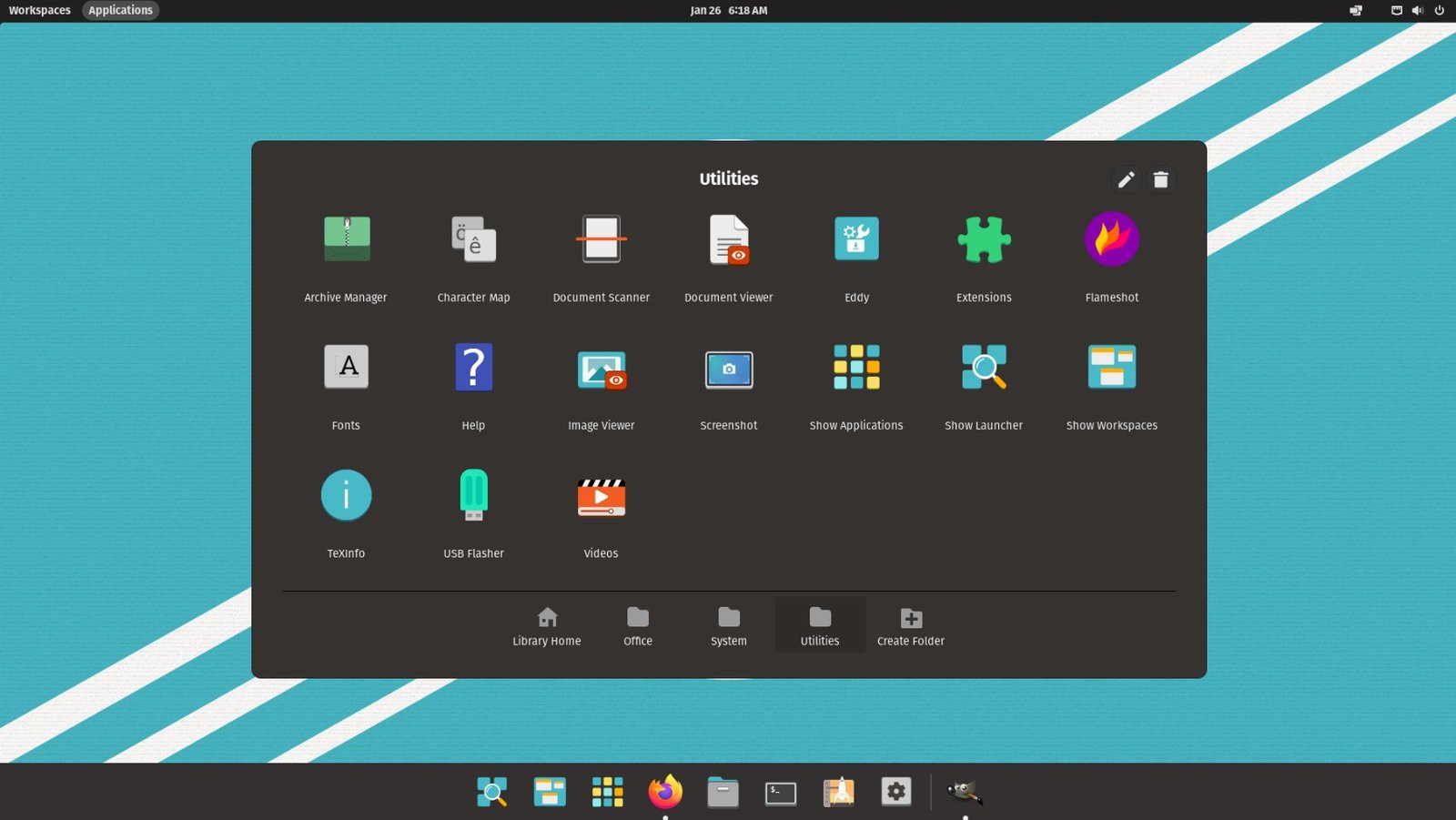
System76's Pop!_OS has gained recognition in the AI community for its exceptional GPU optimization and driver management. Originally designed for gaming and creative workloads, Pop!_OS excels at managing complex GPU configurations essential for deep learning tasks.
The distribution's automatic GPU switching, CUDA toolkit integration, and optimized power management make it particularly suitable for laptop-based AI development. Pop!_OS also includes a custom desktop environment that enhances productivity for programming tasks.
Arch Linux: Maximum Customization for AI Experts
For experienced developers who demand complete control over their AI development environment, Arch Linux offers unparalleled customization options. While requiring more technical expertise, Arch enables fine-tuning every aspect of the system for optimal AI performance.
The Arch User Repository (AUR) provides access to cutting-edge AI tools often unavailable in other distributions. Rolling releases ensure immediate access to new framework versions, though this requires careful dependency management.
Must-Have Components for AI Development
Regardless of your chosen distribution, certain components are essential for effective AI development:
- Python 3.9 or later with pip package manager
- CUDA toolkit for NVIDIA GPU acceleration
- Docker or Podman for containerized development
- Git for version control and collaboration
- Jupyter Notebook or JupyterLab for interactive development
- Essential Python libraries: NumPy, Pandas, Scikit-learn
- Deep learning frameworks: TensorFlow, PyTorch, or JAX
The choice between these best Linux distros ultimately depends on your experience level, hardware configuration, and specific AI development needs. Ubuntu 24.04 LTS offers the best balance of usability and functionality for most developers, while Fedora AI provides cutting-edge performance for specialized workloads. Pop!_OS excels for GPU-intensive tasks, and Arch Linux serves experts who need maximum customization.
Setting Up Your AI Development Environment: A Complete Implementation Guide
After selecting the best Linux distros for your AI development needs, the next critical step involves proper setup and optimization. This comprehensive guide will walk you through the essential configuration steps, performance optimization techniques, and troubleshooting solutions to maximize your machine learning productivity.
Essential Software Installation and Configuration
Regardless of which Linux distribution you choose for AI development, certain core components require careful installation and configuration. The following step-by-step process ensures optimal performance across all major AI frameworks and tools.
Python environment management stands as the foundation of successful AI development on Linux. Virtual environments prevent dependency conflicts while ensuring reproducible results across different projects. Most best Linux distros come with Python pre-installed, but proper environment isolation remains crucial for professional development workflows.
Performance Optimization and Hardware Acceleration
Modern AI development demands significant computational resources, making hardware acceleration essential for productive machine learning workflows. GPU support configuration varies across different Linux distributions, with some offering streamlined installation processes while others require manual driver management.
Memory management and storage optimization play equally important roles in AI development performance. Large datasets and model training processes can quickly overwhelm system resources without proper configuration. Implementing swap file optimization, adjusting kernel parameters, and configuring storage caching significantly improves training times and system responsiveness.
Framework Integration and Compatibility Matrix
Different AI frameworks exhibit varying levels of compatibility across Linux distributions. Understanding these relationships helps developers make informed decisions about their development stack and avoid potential integration issues.
TensorFlow, PyTorch, and other major frameworks often require specific library versions and dependencies. Some distributions excel at maintaining cutting-edge package versions, while others prioritize stability over the latest features. This trade-off directly impacts development workflows and project requirements.
Development Workflow Optimization Checklist
Successful AI development on Linux requires attention to numerous configuration details and best practices. The following checklist ensures comprehensive environment preparation for professional machine learning projects.
Troubleshooting Common Issues
Even experienced developers encounter configuration challenges when setting up AI development environments on Linux. Driver conflicts, dependency issues, and performance bottlenecks represent the most frequent obstacles in AI development workflows.
Graphics driver installation often presents the most significant challenge for newcomers to Linux-based AI development. NVIDIA CUDA support requires precise driver versions and library configurations, while AMD ROCm support varies significantly across different distributions. Understanding your hardware requirements and distribution-specific installation procedures prevents hours of troubleshooting.
Memory allocation errors during large model training indicate insufficient system configuration for AI workloads. Adjusting virtual memory settings, configuring swap files, and optimizing kernel parameters address most memory-related issues in machine learning environments.
Future-Proofing Your AI Development Setup
The rapidly evolving landscape of AI development requires forward-thinking environment configuration. Container technologies like Docker and Podman provide isolation and portability benefits that simplify framework updates and project migration between different systems.
Continuous integration and deployment pipelines benefit from standardized development environments across team members. Linux distributions with strong containerization support and consistent package management systems reduce deployment friction and improve collaboration efficiency.
Frequently Asked Questions
Selecting the optimal Linux distribution for AI development ultimately depends on your specific requirements, experience level, and project constraints. Ubuntu 24.04 LTS provides excellent stability and community support for beginners, while Fedora AI offers cutting-edge features for advanced users seeking the latest AI development tools.
Remember that the best Linux distros for AI development continue evolving alongside the rapidly advancing machine learning ecosystem. Regular environment updates, framework upgrades, and security patches ensure optimal performance and compatibility with emerging AI technologies. Success in AI development on Linux requires both technical expertise and commitment to continuous learning in this dynamic field.
No comments yet. Be the first to share your thoughts!