

AI Development: Why Linux?
For anyone seriously involved in artificial intelligence or machine learning, Linux has become the operating system of choice. It’s not a matter of preference as much as it is a practical necessity, stemming from the core requirements of the field. The open-source nature of Linux is fundamental; AI development relies heavily on open-source tools and libraries, and Linux provides a seamless environment for them to thrive.
Package management is a huge advantage. Distros like Ubuntu and Fedora make installing and managing complex dependencies – a constant task in AI – remarkably straightforward. The command line interface, often intimidating to newcomers, offers unparalleled control and automation capabilities. This is especially important when you're scaling experiments or deploying models.
Windows and macOS both have limitations. Windows, while improving, historically struggled with the same level of support for key AI frameworks. macOS, while Unix-based, can be restrictive and expensive, and its hardware choices aren't always ideal for the intensive workloads AI demands. Reproducibility is also a major concern; Linux’s consistent environment helps ensure that your work will run the same way on different machines.
Ultimately, Linux isn't just about technical advantages. It’s about a philosophy of collaboration and openness that aligns perfectly with the spirit of AI research. The flexibility to modify the kernel, customize the environment, and contribute back to the community makes it an incredibly powerful platform for innovation.
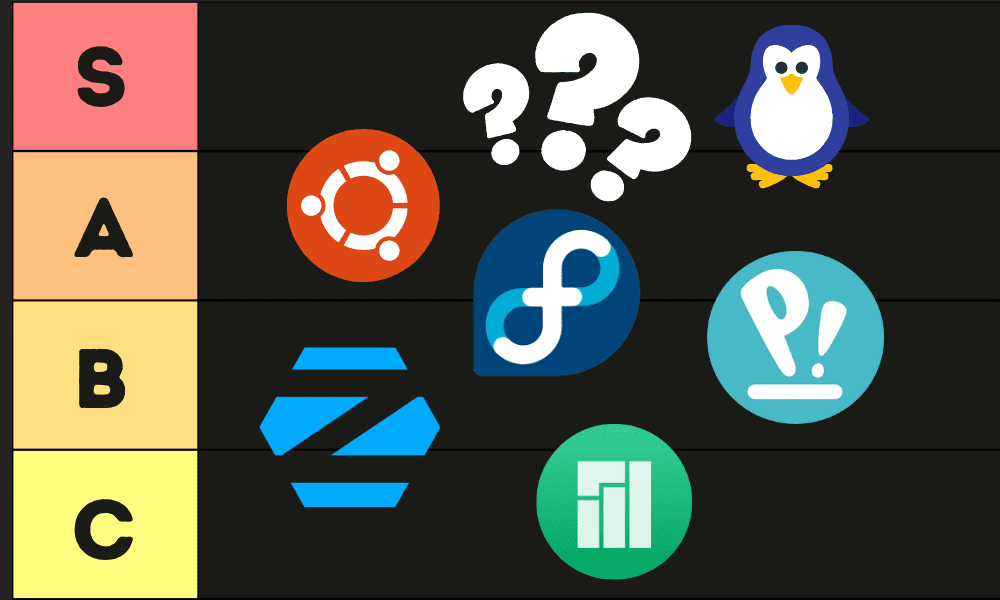
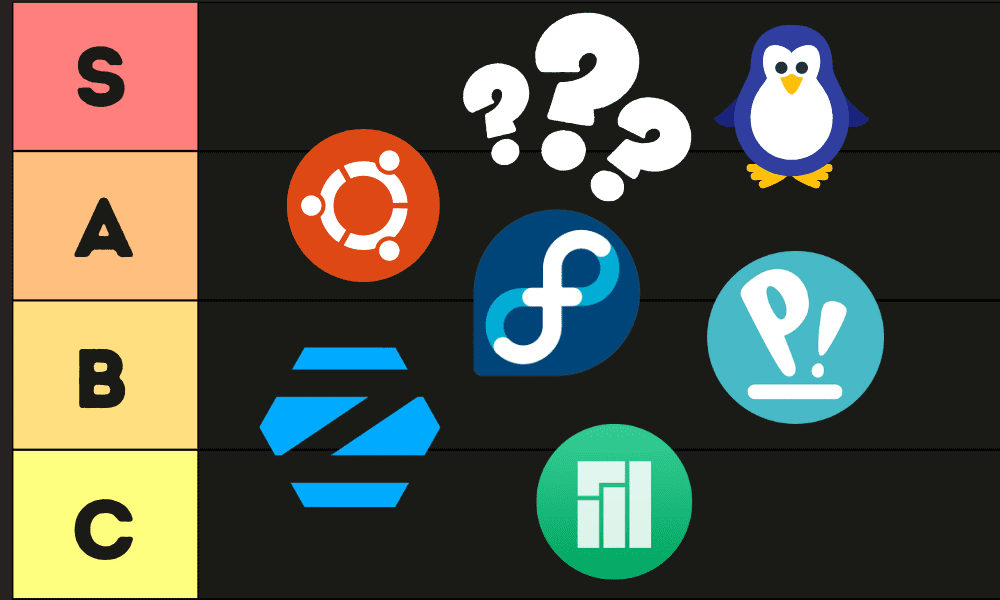
Top 10 Linux Distros for AI in 2026
Choosing the 'best' Linux distro for AI is subjective, depending on your experience level and specific needs. However, based on testing and community feedback as of early 2026, here’s a ranking of ten leading contenders. The Linux Tex YouTube channel’s recent review was particularly insightful, and I’ve cross-referenced their findings with assessments from LinuxBlog.io and The Linux Experiment.
1. Pop!_OS: System76’s Pop!_OS continues to dominate for AI. It’s built on Ubuntu but with a focus on usability and out-of-the-box support for Nvidia GPUs. CUDA drivers are easy to install, and the overall experience is incredibly smooth. Its automatic tiling window manager is a plus for productivity, but might take getting used to. It’s an excellent choice for deep learning.
2. Ubuntu: The perennial favorite remains a solid choice. Ubuntu has the largest community, meaning extensive documentation and support are available. Package availability is excellent, and it's compatible with almost all AI frameworks. While not as optimized as Pop!_OS for Nvidia GPUs, it’s a reliable and versatile option. The long-term support (LTS) releases are particularly valuable for stability.
3. Fedora: Fedora is known for its cutting-edge software and focus on free and open-source technologies. It’s a good choice for developers who want to stay on the bleeding edge, but it can be less stable than Ubuntu or Pop!_OS. The package management (dnf) is efficient, and it offers strong support for Python and other AI-related languages. The default desktop environment, GNOME, is modern and customizable.
4. Debian: Debian is the rock-solid foundation upon which many other distros are built. It prioritizes stability above all else, making it a good choice for production deployments. However, its package selection can be a bit dated, and it requires more manual configuration than some other distros. It's a strong contender for edge AI applications where reliability is paramount.
5. Arch Linux: Arch Linux is a highly customizable distro for experienced Linux users. It requires a significant amount of technical knowledge to set up and maintain, but it gives you complete control over your system. The rolling release model ensures you always have the latest software, but it can also lead to instability. It's a popular choice for those who want a minimal and highly optimized AI development environment.
6. Manjaro: Manjaro is based on Arch Linux but aims to be more user-friendly. It provides a graphical installer and pre-configured desktop environments, making it easier to get started. However, it inherits some of Arch’s instability. It strikes a decent balance between customization and usability, but might not be the best choice for beginners.
7. NixOS: NixOS is a unique distro that uses a functional package manager. This means that packages are built in isolation, preventing dependency conflicts. It’s a powerful tool for creating reproducible AI environments, but it has a steep learning curve. It's best suited for researchers and developers who need a highly controlled and reproducible setup.
8. elementary OS: elementary OS is a beautiful and user-friendly distro inspired by macOS. It’s a good choice for developers who value aesthetics and simplicity. However, its package selection is limited compared to other distros, and it may not be ideal for complex AI projects. It's more suited for lighter AI tasks or prototyping.
9. Deepin: Deepin is a visually stunning distro developed in China. It features a modern desktop environment and a wide range of pre-installed applications. However, it has raised some privacy concerns due to its telemetry collection. It's a decent option for general use, but I’d recommend caution for sensitive AI development work.
10. Garuda Linux: Garuda Linux is an Arch-based distro geared towards gamers but surprisingly capable for AI. It comes with a plethora of pre-installed tools and optimizations, including support for Nvidia GPUs. It’s a bit resource-intensive, but it offers a powerful and feature-rich development environment. Be aware that the large number of pre-installed applications can be overwhelming.
Package Management: A Deep Dive
The package manager is the heart of any Linux distribution, and its efficiency can significantly impact your AI development workflow. Ubuntu and its derivatives (like Pop!_OS) use apt, which is known for its ease of use and extensive package availability. Fedora employs dnf, a more modern package manager that’s generally faster and more efficient than apt.
Arch Linux uses pacman, a powerful but complex package manager that gives you fine-grained control over your system. NixOS’s package manager is in a class of its own, offering unparalleled reproducibility and isolation. Debian uses apt, but often carries older package versions prioritizing stability.
Installing common AI libraries like TensorFlow, PyTorch, and scikit-learn is generally straightforward on most distros. However, Pop!_OS and Ubuntu often have pre-built packages available, simplifying the process. NixOS excels at creating isolated environments for each project, preventing dependency conflicts and ensuring reproducibility. The Linux Experiment’s review highlighted the challenges of managing CUDA versions across different package managers.
Ultimately, the best package manager depends on your preferences and technical expertise. For beginners, apt is a good starting point. For experienced users who want more control, pacman or NixOS are excellent choices. Fedora's dnf is a solid middle ground offering speed and reliability.
Package Manager Comparison for AI/ML Development (2026)
| Package Manager | Ease of Use | Speed | Dependency Resolution | AI/ML Package Availability | Community Support |
|---|---|---|---|---|---|
| APT (Debian/Ubuntu) | Good | Moderate | Good | Excellent | Excellent |
| DNF (Fedora/CentOS Stream) | Good | Fast | Excellent | Excellent | Good |
| Pacman (Arch Linux) | Moderate | Very Fast | Good | Good | Good |
| Zypper (openSUSE) | Moderate | Fast | Excellent | Good | Moderate |
| Nix (NixOS) | Poor | Moderate | Excellent | Moderate | Moderate |
| Snap (Various) | Good | Moderate | Moderate | Good | Moderate |
| Flatpak (Various) | Good | Moderate | Good | Good | Good |
Illustrative comparison based on the article research brief. Verify current pricing, limits, and product details in the official docs before relying on it.
Hardware Acceleration & Driver Support
GPU acceleration is critical for most AI workloads, and having a distro that handles Nvidia CUDA and AMD ROCm well is essential. Pop!_OS consistently receives praise for its seamless Nvidia driver integration. Ubuntu also provides good support, but often requires more manual configuration. Fedora and Arch Linux require users to install drivers themselves, which can be challenging.
The kernel version also plays a role. Newer kernels generally have better hardware support, but they can also be less stable. Most mainstream distros (Ubuntu, Fedora, Pop!_OS) ship with relatively recent kernels, providing a good balance between stability and performance. Arch Linux’s rolling release model ensures you always have the latest kernel, but at the cost of potential instability.
Proprietary drivers, particularly for Nvidia GPUs, can sometimes cause issues. It’s important to choose a distro that provides a reliable way to install and manage these drivers. Pop!_OS’s built-in driver manager is a significant advantage in this regard. Ensuring compatibility between the kernel, drivers, and CUDA toolkit is crucial for optimal performance.
AMD ROCm support is less widespread than CUDA, but it’s improving. Fedora and Ubuntu offer decent ROCm support, but it often requires more manual configuration. For serious AMD GPU-based AI work, Debian might be a better choice due to its focus on open-source drivers and its ability to be finely tuned.
Distros for Specific AI Tasks
Different AI tasks have different requirements, and certain distros are better suited for specific applications. For deep learning, Pop!_OS and Ubuntu are excellent choices due to their Nvidia GPU support and extensive package availability. The large community around these distros also provides ample resources for troubleshooting.
For data science, Fedora and Debian are strong contenders. Fedora’s cutting-edge software and focus on open-source tools make it ideal for experimentation. Debian’s stability and reliability make it well-suited for production deployments. Both distros provide excellent support for Python and popular data science libraries.
Robotics often relies on the Robot Operating System (ROS), which is well-supported on Ubuntu. Ubuntu’s large community and extensive documentation make it easier to get started with ROS. Debian is also a viable option, particularly for embedded systems.
Edge AI applications, where resources are limited, benefit from lightweight distros like Debian and Arch Linux. These distros allow you to customize your environment and minimize overhead, maximizing performance on edge devices. The ability to build minimal container images is also crucial for edge deployments.
Customization & Containerization
The level of customization offered by a distro is important for tailoring your development environment to specific AI projects. Arch Linux provides the greatest degree of customization, but it requires significant technical expertise. NixOS also offers a high level of customization through its functional package manager.
Ubuntu and Fedora offer a good balance between customization and usability. They allow you to customize the desktop environment and install the tools you need, but they also provide a reasonably well-configured system out of the box. Pop!_OS leans towards a more curated experience, offering less customization but a more polished user experience.
Docker and Kubernetes are essential tools for containerization and orchestration in AI development. Most mainstream distros (Ubuntu, Fedora, Debian, Pop!_OS) provide excellent support for these technologies. NixOS’s functional package manager makes it particularly well-suited for creating reproducible container images.
For reproducible research, NixOS is the clear winner. Its ability to create isolated environments and precisely define dependencies ensures that your experiments will run the same way on different machines. This is crucial for ensuring the validity of your results.
Basic AI Development Environment Setup
When setting up AI development environments across different Linux distributions, containerization provides consistency and portability. This Dockerfile demonstrates a fundamental setup that works reliably across various Linux distros, making it easier to maintain consistent development environments regardless of your chosen distribution.
# Use Ubuntu 22.04 as base image
FROM ubuntu:22.04

# Set environment variables
ENV DEBIAN_FRONTEND=noninteractive
ENV PYTHONUNBUFFERED=1

# Update system and install Python dependencies
RUN apt-get update && apt-get install -y \
    python3 \
    python3-pip \
    python3-dev \
    build-essential \
    && rm -rf /var/lib/apt/lists/*

# Create symbolic link for python command
RUN ln -s /usr/bin/python3 /usr/bin/python

# Upgrade pip
RUN pip install --upgrade pip

# Install TensorFlow and PyTorch
RUN pip install tensorflow torch torchvision

# Set working directory
WORKDIR /workspace

# Default command
CMD ["/bin/bash"]
This containerized approach eliminates many compatibility issues between different Linux distributions and ensures your AI development environment remains consistent. You can build this image on any Linux distro that supports Docker, making it an excellent starting point for machine learning projects. The setup includes the essential Python environment with both major deep learning frameworks, providing a solid foundation for most AI development tasks.
Community & Support Resources
A strong community and readily available support resources are invaluable for AI development. Ubuntu boasts the largest community, with extensive documentation, forums, and online resources. Fedora and Debian also have active communities, although they are smaller than Ubuntu’s. Arch Linux’s community is known for its technical expertise, but it can be less welcoming to beginners.
Pop!_OS’s community is growing rapidly, and System76 provides excellent support through its forums and documentation. NixOS’s community is smaller but highly dedicated, with a focus on reproducible environments. The Linux Experiment’s YouTube channel consistently provides helpful tutorials and reviews.
Commercial support options are available for Ubuntu (Canonical) and Red Hat Enterprise Linux (which is closely related to Fedora). These options can be valuable for organizations that require guaranteed support and maintenance. Many AI framework providers (e.g., TensorFlow, PyTorch) also offer support resources and documentation.
Here are a few helpful links: Ubuntu Forums (), Fedora Discussion (), Arch Linux Wiki (), NixOS Documentation ().
- Ubuntu Forums:
- Fedora Discussion:
- Arch Linux Wiki:
- NixOS Documentation:
Featured Products

NVIDIA Ada Lovelace architecture · 24GB GDDR6X memory · Tensor Cores for AI acceleration
This GPU provides immense computational power and specialized AI cores crucial for accelerating demanding machine learning tasks.

AMD RDNA 3 architecture · 20GB GDDR6 memory · High performance for gaming and compute
Offers a strong balance of performance and VRAM capacity, making it a capable option for various AI development workloads.

NVIDIA Ampere architecture · 48GB GDDR6 memory · Designed for professional visualization and AI
With a massive 48GB of VRAM and professional-grade AI acceleration, this card is ideal for training very large models.

Thunderbolt 4/5 and USB 4 connectivity · Supports PCIe 4.0 graphics cards · 140W Power Delivery via USB-C
These external GPUs offer the raw processing power and compatibility essential for accelerating complex AI and machine learning workloads on your Linux system.
As an Amazon Associate I earn from qualifying purchases. Prices may vary.
Beyond the Top 10: Emerging Distros
While the top 10 distros listed above are well-established, several emerging distros show promise for AI development. Nobara Project aims to provide a user-friendly gaming-focused experience built on Fedora, which could appeal to AI developers who also enjoy gaming. EndeavourOS is another Arch-based distro that offers a more accessible experience than Arch Linux itself. These distros are worth keeping an eye on, but they haven't yet reached the same level of maturity or community support as the top contenders.
No comments yet. Be the first to share your thoughts!