

Why Linux powers security operations
Linux is the default operating system for cybersecurity and network management professionals. While consumer markets often focus on user experience, security operations prioritize control, transparency, and tooling. This focus has made Linux the industry standard for penetration testing, network monitoring, and system hardening.
The ecosystem advantage is significant. Most critical security tools—including Kali Linux, Metasploit, and Wireshark—are natively developed for Linux environments. While these tools can be ported to Windows or macOS, they often require complex workarounds like Virtual Machines or Windows Subsystem for Linux (WSL). Running them directly on Linux provides native access to kernel-level features, such as packet injection and raw socket access, which are essential for effective network analysis and vulnerability assessment.
Beyond specific tools, Linux offers unparalleled flexibility. Administrators can strip down the operating system to only the necessary components, reducing the attack surface. This minimalism is crucial for securing servers and network appliances. Additionally, the open-source nature of Linux allows security teams to audit the code for vulnerabilities, ensuring trust in the underlying infrastructure.
For professionals managing complex networks or conducting security audits, Linux provides the necessary depth and control. It is not just an alternative to Windows or macOS; it is the foundational platform for modern cybersecurity operations.
Kali Linux for penetration testing
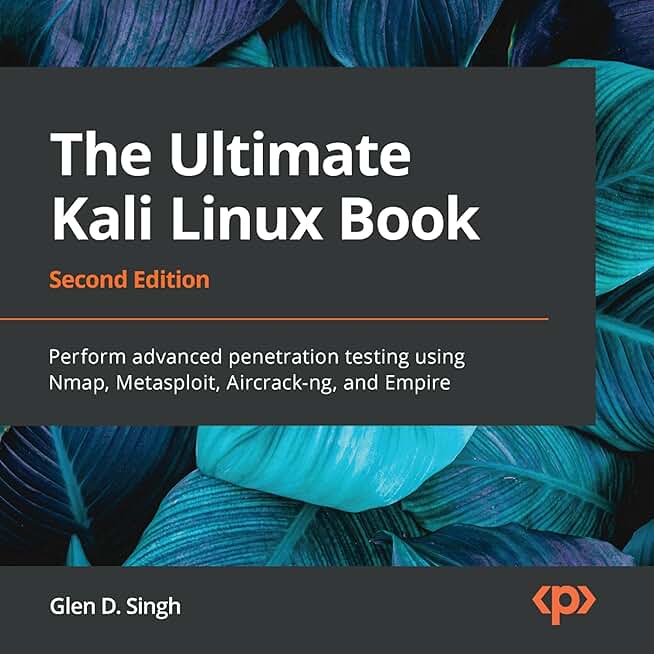
Kali Linux stands as the standard for penetration testing and ethical hacking. Maintained by Offensive Security, it is built on the Debian Linux distribution and comes pre-loaded with over 600 security tools. These utilities cover every stage of a security audit, from information gathering and vulnerability analysis to wireless attacks and web application testing. For professionals managing network security, having this comprehensive toolkit in a single, optimized environment saves significant time and configuration effort.
The distribution is designed to be modular and highly customizable. While the default desktop environment provides an intuitive interface for running tools like Nmap, Wireshark, and Metasploit, advanced users can compile custom kernels or strip the OS down to a minimal server installation. This flexibility ensures that Kali remains relevant for both beginners learning the ropes and experienced security engineers conducting complex network assessments. The active community and extensive documentation further lower the barrier to entry, making it the go-to choice for most cybersecurity workflows.
While the software itself is free, effective penetration testing often requires dedicated hardware to ensure network stability and performance. Many security professionals prefer using Kali on robust laptops or dedicated testing rigs that can handle resource-intensive tasks like password cracking or packet injection without lag. Additionally, having reliable hardware accessories, such as high-quality external network adapters for wireless testing, is essential for accurate results.


As an Amazon Associate, we may earn from qualifying purchases.
Parrot OS for lightweight security
Parrot OS serves as a pragmatic alternative to Kali Linux, particularly for professionals who require a stable daily driver alongside their security tools. While Kali dominates the penetration testing space, its heavy resource consumption and specialized configuration can hinder workflow for developers and researchers who need a balanced desktop environment. Parrot addresses this by offering a streamlined experience that prioritizes efficiency without sacrificing the robust toolkit needed for network management and digital forensics.
The operating system is built on Debian Stable, ensuring a reliable foundation for daily tasks. It ships with the MATE desktop environment by default, which is significantly lighter on system resources than the GNOME interface found in Kali. This makes Parrot an excellent choice for older hardware or virtual machines where memory and CPU overhead are concerns. Users gain access to a curated selection of security applications, including network analysis, reverse engineering, and digital forensics tools, all organized in a user-friendly menu structure.
For those managing multiple environments, Parrot’s architecture allows for seamless switching between standard desktop mode and security-focused mode. This flexibility means you can code, browse, and manage systems without constantly rebooting or juggling separate installations. The lightweight nature of the OS ensures that performance remains consistent even when running resource-intensive security scans or virtualization tasks.
Comparison: Kali Linux vs. Parrot OS
| Feature | Kali Linux | Parrot OS |
|---|---|---|
| Base System | Debian Testing | Debian Stable |
| Default Desktop | GNOME (Heavy) | MATE (Lightweight) |
| Primary Use Case | Penetration Testing | Daily Driver & Security |
| Resource Usage | High | Low to Medium |
| Package Manager | apt | apt |
BlackArch for advanced researchers
BlackArch is a specialized penetration testing distribution built on top of Arch Linux. It is not a standalone operating system you install from scratch; instead, it is a repository that you add to an existing Arch Linux installation. This design keeps the system lightweight and familiar to Arch users while giving them immediate access to a massive collection of security tools.
The distribution boasts over 2,800 tools, making it one of the largest repositories available. These tools cover every stage of a security assessment, from information gathering and vulnerability analysis to wireless attacks and forensic analysis. Because BlackArch is a rolling-release distro, you get the latest versions of these tools as soon as they are updated, without needing to reinstall the entire operating system.
This approach requires a high level of technical proficiency. You must be comfortable managing an Arch-based system, handling package dependencies, and troubleshooting potential conflicts between tools. It is best suited for experienced security researchers, penetration testers, and advanced students who already understand Linux internals and want a customizable, tool-heavy environment.
If you are new to Linux or cybersecurity, BlackArch might be too complex to start with. Consider starting with a more user-friendly distro like Kali Linux or Parrot OS. Once you are comfortable with the command line and system administration, migrating to BlackArch can provide a powerful, tailored environment for your research.


As an Amazon Associate, we may earn from qualifying purchases.
Fedora Security Lab for Network Management
Fedora Security Lab is a specialized spin of Fedora designed for security professionals, but it serves as a powerful workstation for network administrators who value stability and standard enterprise tooling. While Kali Linux dominates the penetration testing space, Fedora Security Lab offers a more balanced environment for day-to-day network management, monitoring, and administration.
The distribution provides a pre-configured GNOME desktop with a curated suite of security and network analysis tools. This includes Wireshark for packet capture, Nmap for network discovery, and various forensic utilities. Unlike rolling-release distributions that require constant maintenance, Fedora Security Lab follows the standard Fedora release cycle, ensuring that the core system remains stable and predictable for production-like environments.
For network managers, this stability is critical. The environment supports standard system management tools like systemd and firewalld, allowing administrators to manage services and firewall rules using familiar, enterprise-grade commands. The inclusion of SELinux (Security-Enhanced Linux) is also a significant advantage, providing mandatory access controls that help secure network services against misconfigurations or exploits.
The toolset is comprehensive but not overwhelming. It avoids the bloat of some specialized distros by focusing on the most essential utilities for network auditing and security hardening. This makes it an excellent choice for teams that need to perform security assessments without sacrificing the reliability of a mainstream Linux distribution.

As an Amazon Associate, we may earn from qualifying purchases.
Choose the right distro for your workflow
Selecting a Linux distribution for cybersecurity and network management depends on your experience level and specific tasks. The best distros for cybersecurity are tailored to specific needs, whether you are a beginner learning the ropes or an expert managing complex infrastructure.




As an Amazon Associate, we may earn from qualifying purchases.
Frequently asked questions about Linux security distros
Which Linux distro is easiest for beginners?
Parrot Security OS is often a better starting point than Kali Linux because it includes a user-friendly desktop environment and offers a "Security Mode" that activates tools only when needed, reducing the risk of accidental system changes. Kali Linux is the standard for penetration testing, but its default root-user configuration and advanced toolset can overwhelm new users.
Can I run these distros on old hardware?
Yes, lightweight distributions like Alpine Linux or Debian with a minimal XFCE desktop are ideal for older machines. These systems require minimal RAM and CPU power, allowing you to run network scanning or packet analysis tools on hardware that would struggle with heavier, feature-rich environments like Kali.
Is it safe to use these distros as my daily driver?
While possible, most cybersecurity distros are not designed for everyday tasks like web browsing or media consumption. They often come with pre-installed tools that may conflict with standard applications. For daily use, consider a standard Linux distribution and install security tools in a virtual machine or container to maintain system stability and security.
No comments yet. Be the first to share your thoughts!